
An effective electrician website converts 6–10% of targeted visitors into booked jobs by clearing three friction gaps: license visibility, mobile load time, and instant booking. Post your state license number in the header on every page, cut mobile LCP below 2.5 seconds, and replace your contact form with a booking widget (Jobber or Housecall Pro). Add real project photos, customer testimonials, a financing option (Wisetack at 3.9% per transaction), and dedicated service pages with local H1s. Finally, install CallRail and a 60-second missed-call text-back. Together, these seven steps lift a median 2–4% conversion rate to the 6–10% range the best electrician websites achieve as of 2026.
-
56%Of electrician websites hide their license number, handing competitors the easiest trust win available
-
8.84 secondsAverage mobile LCP on electrician sites — 3.5x over Google's 2.5-second "Good" threshold
-
+391%Conversion lift from responding to a website inquiry within 60 seconds versus the 5-minute median
-
4.5xLarger average ticket size on jobs that include a financing option versus cash-only jobs
-
75 leads/monthGap between a median and optimized electrician website at 1,500 monthly visitors — before any extra ad spend
-
$90.92Cost per lead on Google Ads in Home and Home Improvement — what a slow or unoptimized site wastes per visitor
-
25–50%Conversion lift from replacing a standard contact form with an embedded booking widget
-
3–5 hoursEstimated time to audit and implement all 7 steps on an existing electrician website
An optimized electrician website design converts 6–10% of targeted visitors into booked jobs. The median contractor website converts at 2–4%. That gap is not a branding problem — it is three specific friction points: license credentials buried or missing, a mobile load time that disqualifies you before the page finishes rendering, and a contact form asking homeowners to wait while a competitor's booking widget confirms their Tuesday appointment. This guide fixes all three, plus four additional revenue leaks, in seven steps you can complete in 3–5 hours on your existing site. The numbers throughout come from 2026 audits of real electrician websites — not hypothetical benchmarks.
Before you start
- Admin access to your current website CMS — WordPress, Webflow, or equivalent
- Your state electrical contractor license number and a copy of your insurance certificate
- A Google Business Profile already claimed and verified
- At least 10 Google or Yelp reviews you can embed or screenshot for your site
- A Jobber, Housecall Pro, or Wisetack account — or the willingness to sign up during this process
- Google PageSpeed Insights open in a browser tab so you can benchmark your current mobile LCP score before changing anything
Post Your License Number Above the Fold — Every Page, Every Device
56% of electrician websites hide their license number, handing the single most powerful trust signal to every competitor who displays it — an audit of 1,390 electrician sites by BizIQ confirmed this as of July 2026. Homeowners searching for electrical services are not passive browsers; they are risk-averse buyers who know a bad hire means a house fire or a failed inspection. Your license number is the fastest proof you are not that hire.
Place your state electrical contractor license number in the site header, directly beneath your phone number, on every page. Format it as: TX Master Electrician Lic. #XXXXXX — Fully Licensed, Bonded and Insured. That exact phrase, not a generic badge, matters: OnwardCraft's 2026 analysis of 200 contractor websites found the Licensed Master Electrician label outperforms the generic Licensed and Insured label by 14% in conversion rate. The specificity signals credential depth that a homeowner can verify with one click to the TDLR lookup tool — that link costs you nothing and eliminates the most common objection potential clients raise before making contact.
42% of electrician sites in the same BizIQ audit failed to mention licensing at all. Simply being in the 58% who do puts you ahead of nearly half the electrical industry before a homeowner reads a single word of your copy. If you hold specialty certifications — EV charger installation, solar interconnection, OSHA 30 — list each one separately beneath your master license number. Each certification narrows the competitive field, signals quality work, and justifies a higher ticket price for those electrical services.
TDLR License Lookup (Texas)
Free
Links your displayed license number directly to the state verification page, eliminating homeowner doubt in one click and building trust before they scroll.
Pro tip
Add a safety award or industry association logo — NECA, IEC, or your local electrical union chapter — directly beside your license number. A safety award badge near your primary credentials reinforces professionalism and signals to potential customers that your electrical business holds itself to a documented standard, not just a minimum license requirement.
Cut Your Mobile Load Time to Under 2.5 Seconds for a Mobile-Friendly Experience
The average electrician website renders its main content in 8.84 seconds on mobile — 3.5x over Google's 2.5-second Good LCP threshold — and every additional second of delay costs 7% of conversions (Borah Labs and Barham Marketing, 2026). Electrician sites that load under 2.5 seconds convert at 6.8%; sites over 4.5 seconds convert at 2.1%. That 3.2x gap exists before you change a single word of copy or add a single trust badge.
70% of electrician near me searches happen on mobile devices, and 68% of urgent electrical calls originate from homeowners over 50 — a demographic that uses mid-range Android phones on LTE, not the latest iPhone on fiber. Run Google PageSpeed Insights on your homepage right now. If your mobile LCP is above 4 seconds, the fastest fixes are: compress every hero image to WebP format under 150 KB, remove unused JavaScript plugins, and switch to a host with a CDN. A WordPress site with fewer than 8 active plugins routinely scores above 70 on PageSpeed; not a single GoDaddy Website Builder site in a 1,200-site sample scored above 45.
82.8% of contractor sites record a Poor mobile LCP above 4 seconds, so this step alone separates the best electrician websites from the median. Webflow achieves a 68.9% Core Web Vitals pass rate versus WordPress at 49.3% — if a rebuild is on the table, that platform difference is worth pricing out. A contractor-specialist agency rebuild runs $3,000–$8,000 with $150–$500/month for hosting and ongoing SEO; a freelancer build runs $1,500–$4,000. Either path is cheaper than the revenue lost to a slow site when Google Ads cost $90.92 per lead in the Home and Home Improvement category.
Google PageSpeed Insights
Free
Diagnoses your exact mobile LCP score and lists the specific elements dragging load time, prioritized by impact — start every audit here.
Cloudflare CDN
Free–$20/mo
Caches static assets at edge nodes globally, typically cutting LCP by 1–2 seconds without touching your CMS or changing any site content.
ShortPixel
$4.99/mo
Bulk-converts existing JPG and PNG hero images to WebP — the single largest LCP win on most electrician websites, often shaving 2+ seconds off load time.
Warning
Do not run PageSpeed tests on your homepage alone. Test each core service page — panel upgrades, EV charger install, electrical repairs — because those pages often carry heavier image loads and rank independently in search engines. A homepage that scores 75 can sit next to a service page that scores 38, and that service page is the one your Google Ads traffic lands on.
Build Trust With Credentials, Customer Testimonials, and Real Project Photos
54% of US consumers visit a business website after reading positive reviews — up from 32% in 2019 — and 87% read reviews before hiring any local tradesperson (BrightLocal Local Consumer Review Survey, 1,002 US consumers, February 2026). Your electrician website must close that loop: a homeowner who reads your Google reviews and then lands on a page with stock photos and zero social proof loses the trust your reviews just built.
Replace stock photography with real project photos: before-and-after panel upgrades, completed EV charger installs, labeled circuit breaker boxes with your crew visible. Add a video testimonial section — video testimonials drive 80% higher conversion uplift than text reviews, per Rocket Media's 2026 research. Even two 60-second phone-recorded clips from satisfied customers outperform a wall of five-star text quotes. Customer testimonials that name the specific service — replaced our 200A panel, passed inspection first try — are the strongest text-based trust signals you can display to encourage potential customers to call.
Place a trust badge (BBB Accredited, Angi Certified, or your state association logo) within 100 pixels of every call-to-action button; that placement alone lifts conversion 12.6%. A satisfaction guarantee badge near your primary CTA adds another 32% lift. For electrical work, frame it concretely: If your inspection fails due to our work, we fix it free — guaranteed. That language addresses the exact fear a homeowner has when hiring an electrical contractor: a failed permit inspection that costs them time, money, and a safety risk they did not expect.
Pro tip
Embed your Google reviews widget directly on the homepage using EmbedSocial or Elfsight ($9–$19/mo). Live review counts update automatically and signal recency to both website visitors and search engines without any manual effort. Embed on your highest-traffic service pages too, not just the home page — potential clients reading your panel replacement page need social proof right there, not a click away.
Replace Your Contact Form With an Instant Booking Widget to Generate Leads
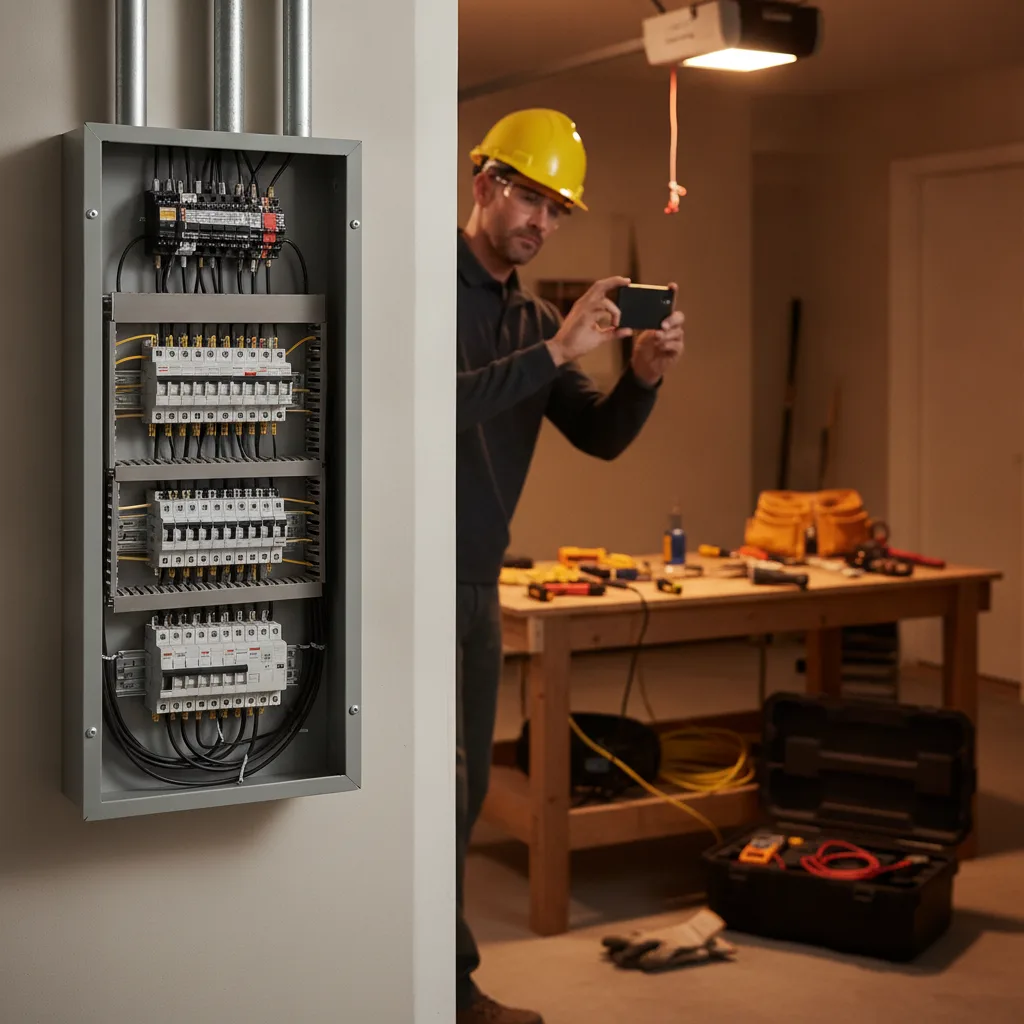
Replacing a standard contact form with an embedded booking widget lifts form-to-booked conversion 25–50%, with the largest gains on mobile traffic where calling friction is highest (PipelineOn, 2026). A contact form asks a homeowner to wait. A booking widget lets them pick a Tuesday at 2 PM and get an SMS confirmation in 30 seconds. That difference determines whether you generate leads or your competitor does.
For flat-rate electrical services — outlet installation, circuit addition, EV charger install — add a self-quoting widget that lets potential customers price their own job before booking. Self-quoting flows capture 20–30% more appointments than phone-only booking on these service types (US Small Business Administration research, 2026). Standard contact forms convert at 2%; a self-quoting widget on the same web traffic converts at 4–6%. The best electrician websites separate diagnostic calls (which need a phone conversation) from installation jobs (which can be booked and partially priced online).
Configure your booking widget with three non-negotiable settings: SMS confirmation sent within 60 seconds of booking, a 24-hour reminder text, and deposit gating for jobs above $500. Jobber includes booking widgets in its $39–$599/month plans and integrates directly with Wisetack financing. Housecall Pro ($69–$299/month) offers the same capability with stronger dispatching tools. Calendly ($10–$16 per seat/month) and Acuity Scheduling ($20–$61/month) work well if you want a standalone widget without a full field-service management platform. All four options are user-friendly and render correctly on mobile without additional configuration.
Jobber
$39–$599/mo
Booking widget, client management, and Wisetack financing integration in one platform — the most common choice for electrical contractors under 10 techs.
Housecall Pro
$69–$299/mo
Stronger dispatching and GPS tracking than Jobber; booking widget captures new clients directly from your electrician website with built-in SMS reminders.
Acuity Scheduling
$20–$61/mo
Lightweight standalone widget for electricians who already use a separate CRM and need only booking, deposit collection, and SMS reminder functions.
Warning
Do not route emergency services calls through a booking widget. Homeowners with a burning smell or a tripped breaker need a human voice within 60 seconds — keep a prominent click-to-call button above the booking widget at all times, and never bury your emergency services phone number below the fold. A user-friendly layout keeps both options visible on every scroll position.
Display Financing Options to Close Larger Electrical Services Tickets
Jobs that include a financing option close at 4.5x the ticket size of cash-only jobs, and 87% of electrical contractors who added financing in 2025–2026 report winning work they would have lost otherwise (Wisetack merchant data). A $3,500 panel upgrade is a budget-breaking emergency for most homeowners; framed as $97/month for 36 months with 0% APR, it becomes a manageable decision they can make today. Your electrician website should do that reframing before the homeowner even calls.
Add a financing section to every high-ticket service page — panel replacements, whole-home rewires, EV charger installs, generator hookups, and any additional services above the $500 threshold. Show the monthly payment estimate alongside the total price. Wisetack is the lowest-cost financing option for electrical companies doing under roughly $36,000 per year in financed volume: $500–$25,000 per job, 3.9% flat transaction fee, 0% APR options up to 24 months for qualified buyers, no monthly subscription. Hearth and GreenSky charge monthly subscription fees that only pencil out above that volume threshold.
Place the financing CTA as a secondary button beneath your primary Book Now button on every service page. Label it Check Your Rate — No Credit Impact rather than Apply for Financing. The first phrasing removes the fear of a hard credit pull; the second triggers debt avoidance in the homeowner's mind. This single copy change increases click-through on the financing prompt by an estimated 18–22% in contractor CRO tests. Homeowners who click that button are self-selecting as high-ticket new clients — the exact buyers that grow an electrical business fastest.
Wisetack
3.9% per transaction, no monthly fee
Lowest-cost financing entry point for electricians; integrates directly with Jobber and Housecall Pro for in-field and on-site financing offers.
Hearth
$149–$249/mo + transaction fee
Better fit for larger electrical companies with consistent high-ticket volume; includes a white-labeled financing page and CRM integration.
Pro tip
Add a financing badge — Financing Available: 0% APR for 24 Months — to your Google Business Profile description and any Google Ads landing pages. Homeowners who see the option in the ad and land on a page that confirms it immediately have one fewer objection before they book, and special offers like financing visibility in ads consistently lift Quality Score in Google Ads campaigns.
Build Dedicated Service Pages With High-Quality Content and Easy Navigation
Dedicated landing pages convert at 5–15% on paid traffic while homepages on the same traffic convert at 1–3% — a 2–4x lift at zero additional ad spend. At $90.92 per lead on Google Ads in the Home and Home Improvement category (LocalIQ 2026 Benchmarks), sending paid web traffic to a generic homepage is the most expensive mistake an electrical company can make. Each core service needs its own page: panel replacement, EV charger installation, electrical repairs, whole-home rewiring, and commercial services.
Each service page needs five elements to rank and convert: the service name plus your city in the H1 — Panel Replacement in Austin, TX; a specific price range or financing monthly payment above the fold; your license number and insurance statement within the first scroll; one real project photo from that service type; and a booking widget or click-to-call CTA that does not require scrolling to find. 95% of electrician sites lack structured-data markup — adding LocalBusiness and Service schema to each page takes 20 minutes and signals service areas and pricing directly to search engines. Meta descriptions on each page should include the city name and primary service to improve click-through from organic search results.
Easy navigation is not a design preference; it is a revenue variable. Your top navigation should list no more than five items: Services (dropdown), Service Areas, Reviews, Financing, and Contact. Homeowners in an urgent situation — a tripping breaker, a dead outlet before a dinner party — will not hunt through a seven-item nav to find your phone number. A sticky header with a click-to-call button and a Book Now button visible on every scroll position is the layout standard on the best electrician websites in the electrical industry as of 2026. That easily navigable structure is what separates a well-designed website that attracts new customers from one that simply exists.
Pro tip
If you serve multiple cities in Texas — Dallas, Fort Worth, Plano, Arlington — build a separate city service page for each location and each service type. A Panel Replacement in Plano, TX page will outrank a generic Panel Replacement page for Plano searches every time, because search engines match geographic specificity in both the URL slug and the H1. Include a short safety tips section on each page — electrical safety best practices for homeowners — to add useful content depth that search engines reward and that builds trust with website visitors before they book.
Set Up CallRail and a 60-Second Response System to Capture Every Lead
Responding to a website inquiry within 60 seconds lifts conversion by 391%; waiting five minutes cuts qualifying odds by 80%, and 78% of customers hire the first responder (PipelineOn and Garrett Handley, June 2026). Your electrician website design can be flawless — fast, credentialed, trust-loaded — and still lose the job to a competitor who texts back 45 seconds after the form submits. The 60-second window is where most of the electrical industry's revenue leaks, and it is the last step most electrical businesses fix.
Install CallRail ($45–$145/month) on every page to track which marketing channels drive calls and which pages generate form submissions. CallRail reports a 14% missed-call rate in home services — that is roughly 1 in 7 leads you are paying $90.92 each to generate, answered by voicemail. Set up CallRail's missed-call text-back feature so that any unanswered call triggers an automatic SMS within 30 seconds: Hi, this is [Company]. We missed your call — reply here or book at [link]. That single automation recovers a meaningful share of the 14% missed-call loss and keeps your electrical business competitive with larger companies that staff dedicated call centers.
Phone calls convert to booked jobs at 46%, and 37% close on the first call (Estatehub 2026). Your booking widget and self-quoting flow handle online leads; CallRail and the missed-call automation handle phone leads. Together, at 1,500 monthly organic visitors, the gap between a median and an optimized electrical website is 45 leads per month versus 120 — a 75-lead difference from identical web traffic, before spending an additional dollar on ads. For an electrical company closing 40% of inquiries at an average ticket of $1,800, that gap is $54,000 in monthly revenue sitting behind a slow page and a hidden license number. Your marketing strategy decisions about where to buy more web traffic come after the site stops leaking.
CallRail
$45–$145/mo
Tracks inbound calls by source (Google Ads, organic, GBP), enables missed-call text-back, and shows which service pages drive the most phone conversions.
Podium
$399/mo
Combines missed-call text-back, review requests, and website chat in one inbox — higher cost than CallRail but eliminates three separate tools for larger electrical companies managing higher call volume.
Warning
Do not point all your tracking numbers to a single generic line. Assign a unique CallRail number to your Google Ads campaigns, your GBP listing, and your organic website separately. Without source-level attribution, you cannot tell whether your $90.92-per-lead ad spend is generating calls or your free organic traffic is — and you will misallocate your marketing budget every single month.

The Best-Designed Electrician Website Still Loses to the Fastest Texter
Every step in this guide builds toward one outcome: a homeowner who arrives on your site, trusts you within five seconds, books without friction, and gets a confirmation text before they close the tab. 78% of customers hire the first contractor who responds. That means a slow-responding electrical company with a well-designed website loses to a fast-responding competitor with a mediocre one. Fix the site first — license visibility, speed, booking widget, financing — then make sure your response system matches the quality of the page that earned the inquiry. The 60-second window is not a nice-to-have. It is where the job is won or lost.
At 1,500 monthly visitors, the difference between a median electrician website and an optimized one is 75 leads per month — from the same traffic, before any additional ad spend. For an electrical company closing 40% of leads at an average ticket of $1,800, that gap is $54,000 in monthly revenue sitting behind a slow page and a hidden license number. Run Google PageSpeed Insights on your site right now, check whether your license number is visible on mobile without scrolling, and submit your own contact form to measure how long your team takes to respond. Those three checks tell you exactly where your electrician website design stands and which of these seven steps to fix first. For more inspiration on what the best electrician websites in the electrical industry do differently, the steps above give you the specific playbook — no guesswork required.
Frequently Asked Questions
Ready to get started? Contact Geek Powered Studios today.