
A fence company photo gallery converts visitors into leads when it does four things: organizes projects by fence type and homeowner motivation (privacy, security, pets), places before/after photos on service pages rather than a buried gallery tab, compresses every image to WebP or AVIF so mobile LCP stays under 2.5 seconds, and puts customer testimonials directly beside the project photos they describe. Sites that execute all four steps convert at 6% or higher — triple the 2% median for fence contractors as of 2026. The Jan Fence case study puts a dollar figure on that gap: a gallery-forward website redesign combined with Google Ads and Local Service Ads grew revenue from $105,000 to $942,000 in a single six-month period. The photo is the product. Homeowners spending $3,600–$12,000 on a fence they will look at for 15 years will not call a company that cannot show them exactly what they are buying.
-
2% vs. 6%Median vs. top-quartile fence site conversion rate
-
790%Revenue growth Jan Fence hit after a gallery-forward redesign
-
$59/yearTotal cost of WP Rocket to hit sub-2-second mobile LCP
-
94% higherConversion rate lift from high-quality vs. low-quality photos
-
80–140 charsTarget alt text length for AI citation and local SEO
-
13 weeksAI citation decay window — refresh gallery alt text quarterly
-
$3,599–$8,521Average Texas fence installation job value in 2026
-
6–12 photosMinimum images per fence type sub-gallery section
A fence company website gallery that books jobs is not a grid of 40 photos dumped behind a nav link — it is a structured, compressed, alt-tagged system that meets homeowners at the exact moment they are deciding whether to call. Texas fence installation projects average $3,599–$8,521 as of 2026, and a homeowner spending that much on something they will look at from their kitchen window for 15 years will not call a fence contractor whose website cannot show them exactly what they are buying. This 7-step guide covers the full fence company marketing playbook for photo galleries: architecture by material and motivation, before/after placement on service pages, WebP compression for sub-2-second mobile load, alt text written for AI citation, social proof adjacent to photos, quarterly refresh cadence, and the paid ads and offline direct mail channels that multiply a gallery that already converts.
Before you start
- WordPress website with admin access, or your developer on call for the session
- A minimum of 30 job photos organized by fence type: wood, vinyl, chain-link, wrought iron, commercial
- Google Search Console property already verified for your domain (Core Web Vitals report must be active)
- CallRail account or equivalent call-tracking tool to measure conversion lift after each change
- Cloudflare account on the free tier connected to your domain as CDN
- Basic familiarity with your WordPress media library and the ability to install plugins
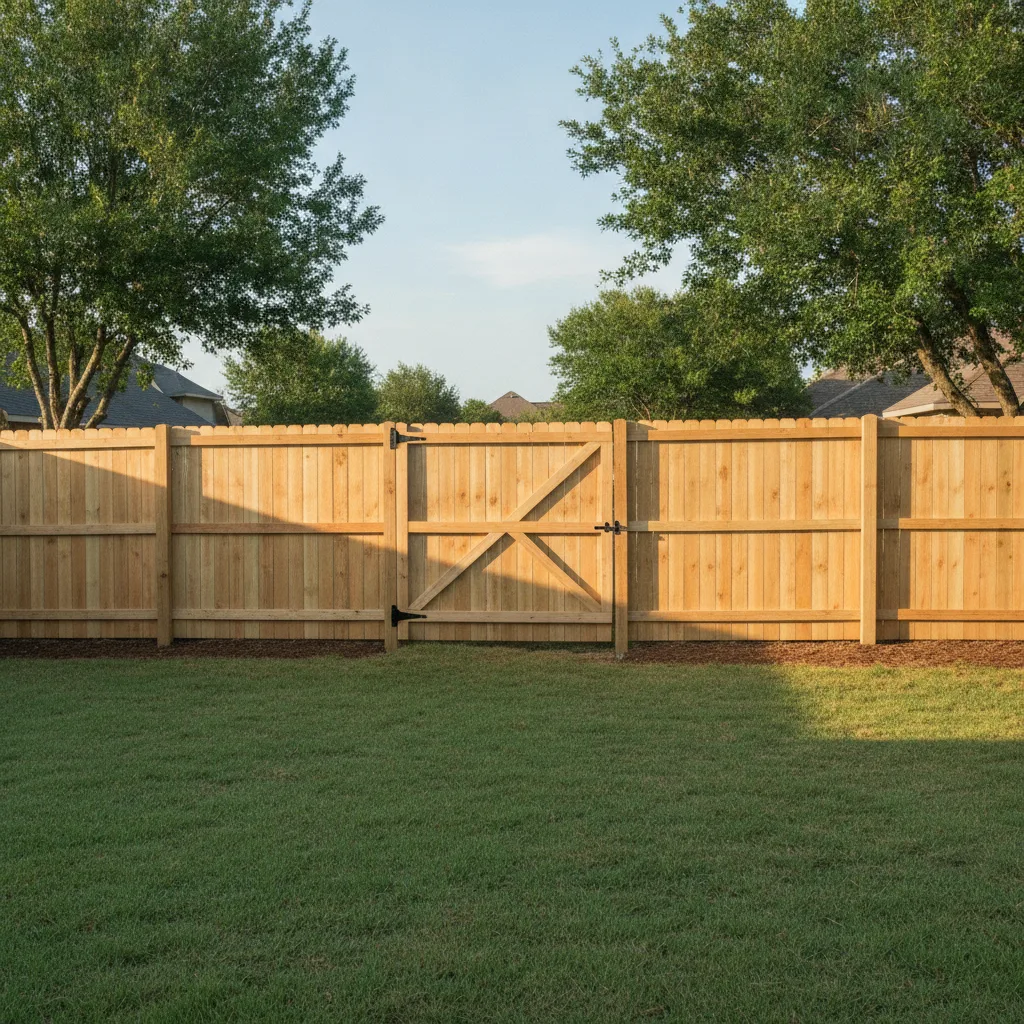
Audit Your Current Gallery Against the 6% Conversion Benchmark
The median fence company website converts 2–4% of visitors into a call or form fill; sites above 6% land in the top quartile, and the gap between 1.9% and 11% is almost entirely explained by gallery quality, mobile load speed, and trust signals. Before touching a single image, pull your last 90 days of data from Google Search Console and Google Analytics. You need three numbers: sessions, conversions (calls plus form fills), and average page load time from the Core Web Vitals report.
A gallery audit has four pass/fail checks. First: does every service page show at least 2–4 before/after photos above the fold, or are photos buried under a separate 'Gallery' nav tab? Second: are photos organized by fence type and homeowner motivation — privacy, security, pet containment — or is it one unsorted grid of 40 images? Third: does every image have descriptive alt text, or does your media library show blank alt fields? Fourth: does your mobile LCP score sit under 2.5 seconds, or does Google Search Console flag it as 'Poor'? Fail two or more checks and your gallery is costing you booked jobs every day.
Track your current baseline conversion rate with CallRail before making any changes. A fence installation job in Texas averages $3,599–$8,521 as of 2026. At a 2% conversion rate on 500 monthly visitors, you close roughly 10 leads. Push that rate to 6% and the same traffic produces 30 leads — a 20-lead gain worth $70,000–$170,000 in annual revenue at a $7,000 average ticket. That math is why this audit comes before everything else in your fence marketing strategy.
CallRail
$45/mo
Tracks which gallery pages and traffic sources drive actual phone calls, so conversion lift is measurable after each change
Google Search Console
Free
Core Web Vitals report shows per-page LCP and mobile speed failures before you start optimizing
Baseline first
Screenshot your current conversion rate and average LCP score before step 2. Without a before number, you cannot prove ROI to yourself or a client — and fence marketing built on guesswork loses to competitors with data.
Restructure Gallery Architecture Around Homeowner Motivations and Fence Installation Types
Dropping 40 unorganized photos into a single gallery grid is not a portfolio — it is a bounce trigger. Visitors cannot find the wood privacy fence they want to price, so they leave. The correct structure for a Texas fence company uses two organizing layers: fence material (wood, vinyl, chain-link, wrought iron, aluminum, commercial) and homeowner motivation (privacy, security, pet containment). As of 2026, 45% of homeowners fence for privacy, 30% for security, and 20% for pet containment — your sub-gallery labels should reflect those purchase drivers, not just material names. This is the foundation of search engine optimization for fence installation services: match the page structure to how homeowners actually search.
Build a dedicated gallery sub-page for each material type, with a minimum of 6–12 project photos per section. If a single job is exceptional — a 200-linear-foot cedar privacy fence in a Dallas-area neighborhood, for example — give it a standalone Finished Project Page (FPP). An FPP features 12–24 professional 'after' photos, 2–4 'before' shots, the job scope (materials, linear footage, city), and one customer quote placed directly beside the lead photo. These pages rank independently in search engine results and serve as the highest-trust asset on your website.
Link each material gallery directly from your main nav and from the corresponding service page. A homeowner searching 'wood privacy fence Austin TX' should land on your wood fence service page and immediately see project photos from Austin-area jobs — not a generic gallery tab three clicks away. This internal linking structure also signals to Google which pages are authoritative for which fence installation queries, compressing the time it takes to move from mid-page rankings to position 1. Fence contractors who align gallery architecture with service area pages see the fastest gains in local SEO rankings.
Commercial vs. residential
Keep commercial fence projects in a separate sub-gallery. A chain-link perimeter around a warehouse looks nothing like a residential backyard job, and mixing them confuses the homeowner comparing your work to a competitor's portfolio.
Place Before/After Photos on Service Pages, Not Just the Gallery Tab
Before-and-after photos placed directly on a fence installation service page outperform the same photos buried in a generic gallery tab — because the visitor sees proof at the exact moment they are deciding whether to call. A homeowner spending $5,000–$12,000 on a wood privacy fence is making a 15-year visual decision. The service page is where that decision happens, not a separate gallery nav link they may never click. This is one of the proven strategies that separates fence companies with strong online visibility from those fighting in commodity bidding wars.
The placement rule is simple: 2–4 before/after pairs should appear within the first two scrolls on every fence type service page. Label them clearly — 'Before' and 'After' text overlays remove all ambiguity. For wood fence pages, show the rotted or missing panels first, then the finished cedar boards. For vinyl fence pages, show the old chain-link replaced by clean white panels. These Problem/Solution image pairs do not require professional photography — a steady phone shot at 8MP is sufficient if the lighting is decent and the finished fence is clean.
High-quality project photos generate a 94% higher conversion rate than low-quality images on contractor pages, per a 2024 e-commerce analytics compilation. That gap is not about camera gear — it is about framing, lighting, and showing the full finished fence rather than a cropped detail shot. Shoot from the corner of the yard at mid-morning to capture both fence runs in one frame. Include the gate. Include the grade transitions. Satisfied customers who see their own fence type shown completely are far more likely to call than those who have to imagine the finished result.
Smush Pro (WordPress)
$7.50/mo via WPMU DEV
Bulk-converts JPEG before/after photo pairs to WebP on upload without manual export steps
Fastest win
If you only complete one step today, add 2 before/after photos above the fold on your single highest-traffic service page. Check Google Analytics for which page gets the most organic sessions — that is your starting point.
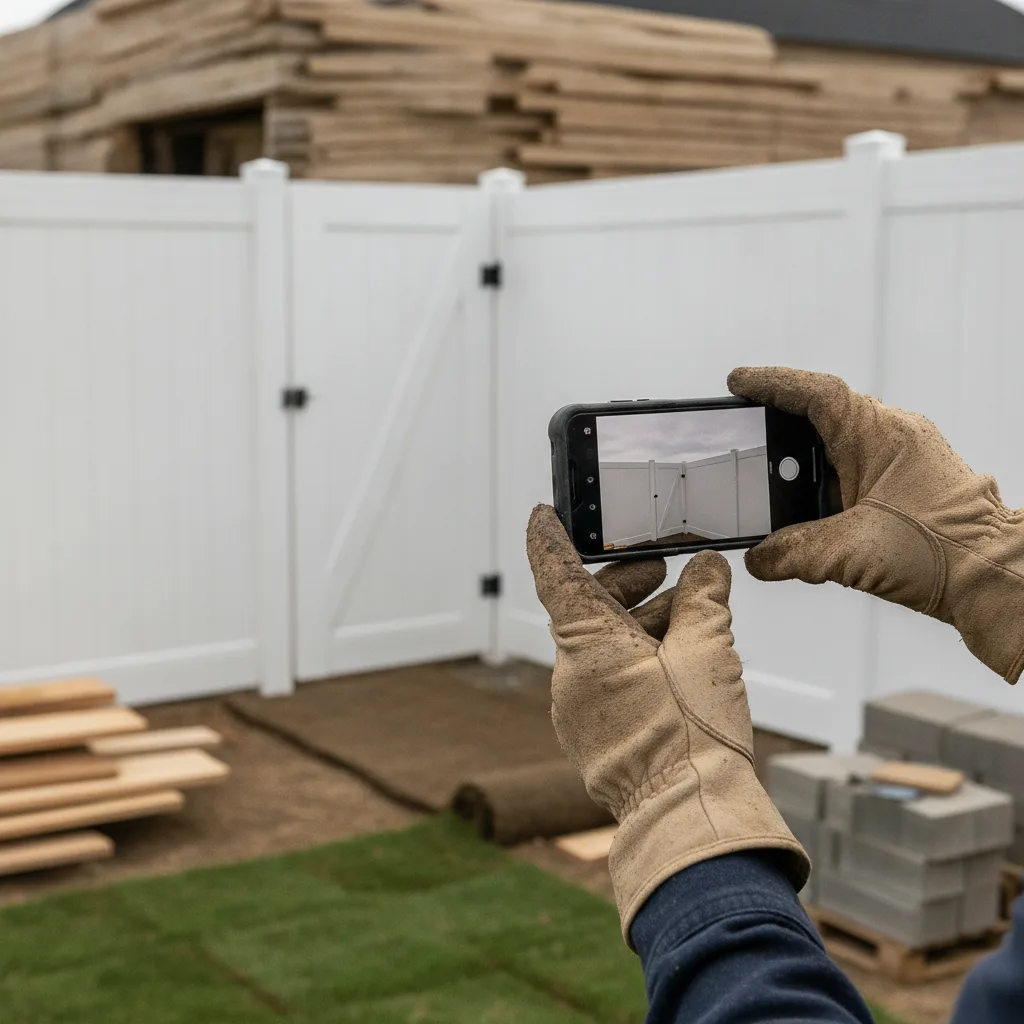
Compress Every Gallery Image to WebP/AVIF and Hit Sub-2-Second Mobile LCP
Uncompressed hero images at 2–5MB instead of 200KB account for 60–70% of contractor site speed failures, and every additional second of mobile load delay costs roughly 7% in conversions. A fence company site with a 5-second mobile load loses approximately 35% of its leads compared to a 1.8-second site — before a single visitor has seen a photo. The fix stack costs under $100 per year and takes one afternoon to configure, making it the highest-ROI digital marketing move most fence business owners have not made yet.
Install three tools in this order: WP Rocket for caching and lazy loading ($59/year), Imagify for automatic WebP and AVIF conversion ($9.99/mo), and Cloudflare on the free plan as your CDN. WP Rocket handles lazy loading so images below the fold do not block initial page render. Imagify converts every uploaded JPEG to WebP automatically and batch-converts your existing media library in one click. WebP is the standard format for 2026; AVIF offers an additional 25–50% file-size reduction for browsers that support it. Cloudflare serves all images from edge nodes close to the visitor, shaving 300–800ms off load time in Texas markets like Dallas, Houston, San Antonio, and Austin.
Verify results in Google PageSpeed Insights after the stack is live. Target an LCP score under 2.5 seconds on mobile — that is Google's 'Good' threshold. The average contractor site loads in 8.6 seconds on mobile as of 2026; hitting 2.5 seconds puts your fence website in the top tier for Core Web Vitals, which directly improves your search engine results rankings and your Google Ads Quality Score, cutting your cost per lead on paid campaigns. A user-friendly, mobile-friendly site that loads fast is the single infrastructure decision that makes every other fence company marketing effort more effective.
WP Rocket
$59/year
Handles page caching, lazy loading, and CSS/JS deferral — reduces LCP on image-heavy gallery pages without touching code
Imagify
$9.99/mo
Auto-converts uploaded images to WebP/AVIF and bulk-processes existing media library in one click
Cloudflare
Free
CDN that serves gallery images from edge nodes in Dallas, Houston, and Austin — cuts load time by 300–800ms for Texas visitors
LCP gotcha
After installing WP Rocket, confirm your before/after hero images are NOT lazy-loaded. The above-the-fold image must load immediately. WP Rocket's 'Exclude from Lazy Load' field accepts image file name patterns — exclude your service page hero images explicitly.
Write Alt Text for AI Citation and Local SEO in Search Results
22.6% of all Google searches happen inside Google Images as of 2026, and 53.1% of prominent home pages have detectable missing alt-text errors — meaning most fence company websites are invisible to Google Images, Google AI Overviews, ChatGPT web search, and Perplexity for the queries that drive fence installation leads. Alt text is not optional metadata. It is the primary signal AI and image search engines use to decide what your photo shows and whether to cite it in generated responses.
Write alt text in the 80–140 character range with four elements: the fence material, the style or height, the city or neighborhood, and the job outcome. A good alt tag reads: 'Installed 6-foot cedar board-on-board privacy fence in Katy TX with custom double-gate — completed 2026.' A bad one reads: 'fence photo.' The good version tells Google exactly what trade you do and where, which feeds local SEO without any extra page copy. Descriptive alt text on project images drives 3–6x more AI citations across ChatGPT, Perplexity, and Claude, per ImageSEO.io measurements across 40 sites in Q3 2025.
Also rename image files before uploading. The file name is a secondary signal that most fence contractors ignore entirely. 'IMG_4892.jpg' tells search engines nothing. 'wood-privacy-fence-dallas-tx-before.webp' and 'wood-privacy-fence-dallas-tx-after.webp' reinforce the page's local relevance for every fence installation query in that market. Pair this with ImageObject schema markup on your Finished Project Pages — schema tells Google the subject, location, and date of each project photo, making your images eligible for rich results in Google Search and Google Business Profile knowledge panels. That Google Business alignment strengthens your local presence in the Google Maps 3-pack.
AltText.ai
$9/mo
AI-generated alt text that follows the 80–140 character framework; batch-processes existing WordPress media libraries in minutes
Yoast SEO (Premium)
$99/year
Adds ImageObject schema to project pages and flags images with missing alt text directly in the WordPress editor
AI citation window
AI citation signals from image alt text decay after approximately 13 weeks as AI models re-crawl and re-weight content. Refresh alt text on your top gallery pages quarterly — updating the year ('completed 2026') and adding new project locations is enough to reset the freshness signal.
Place Testimonials Adjacent to Gallery Photos to Build Trust and Lift Conversions
Testimonials placed on service pages increase conversions by up to 34%, and 92% of consumers hesitate to hire a contractor without visible reviews — but placement matters as much as presence. A review block shoved to the bottom of a page, separated from photos, is far weaker than a one-sentence customer quote placed directly beside the project photo it describes. The rule: every Finished Project Page and every service page gallery section should carry at least one customer quote adjacent to the images, not at the bottom of the page. This pairing of visuals with social proof is the clearest signal to a homeowner that your fence business delivers exactly what it shows.
The format that converts best on fence company websites is a three-element block: the after photo, a 2–3 sentence customer quote with the customer's first name and city (e.g., 'Maria R., Plano TX'), and a star rating. Video testimonials boost conversion rates by up to 80% versus text-only reviews — a 60-second phone video of a satisfied customer standing in front of their new cedar fence, shot on-site the day of completion, outperforms any written review you could display. Post the video to YouTube, embed it on the relevant service page, and use the transcript as caption text so Google can index it as content.
For fence marketing built around a strong local presence, pull reviews directly from your Google Business Profile using an embed widget. Displaying live Google reviews — with star ratings visible — on your service pages ties your online reputation to the specific fence installation types you sell. This also signals to Google that your website content aligns with your Google Business listing, which strengthens your local SEO ranking in the Google Maps 3-pack for city-level fence searches. Request reviews by text immediately after completed jobs using Podium — response rates drop 60% if you wait more than 24 hours. Referral programs tied to past clients who leave positive reviews can also generate a secondary lead generation stream at near-zero cost.
Podium
$399/mo (or $99/mo starter)
Sends automated review requests by text after job completion; pulls Google and Facebook reviews into a single dashboard for embedding on service pages
Elfsight Google Reviews Widget
$9/mo
Embeds live Google Business Profile star ratings and review text directly on WordPress service pages without coding
Review gating warning
Do not filter customers before requesting reviews — Google's 2025 policy update treats selective review solicitation as a violation. Send every completed-job customer the same review request text, and let the star distribution be authentic.
Connect Your Gallery to a Quarterly Refresh Cadence, Google Ads, and Offline Fence Marketing Channels
A gallery that never updates signals to Google and AI search engines that your fence business is stagnant — and AI citation systems decay after approximately 13 weeks, meaning photos that earned citations in Q1 lose that signal by Q2 without fresh content. Set a quarterly calendar reminder to add at least 6 new project photos per service category, update alt text with the current year and new project cities, and publish one new Finished Project Page per quarter. This cadence is also the most cost-effective form of fence company marketing built for long-term organic lead generation: a single well-ranked project page can generate 50–200 or more leads per year at zero marginal cost per click. For a fence business owner, that is the clearest industry insight available — organic pages built on project photos are the only marketing channel where you pay once and collect for years.
Connect your photo gallery to your paid ads and social media marketing. Google Ads and Local Service Ads that link to service pages with strong before/after galleries outperform ads linking to generic landing pages. Jan Fence achieved a 9%+ click-through rate on Google Ads against HALSTEAD's 3–4% agency benchmark after pairing paid campaigns with a photo-forward website redesign, holding cost-per-lead under $23 while scaling ad spend from $1,200 to $36,000 per month. On Instagram and Facebook, post raw job-site progress photos and final reveal shots to build social proof that mirrors your website gallery. Fence contractors who post consistently on social media platforms report 2–3x the organic referral rate of contractors with dormant profiles. Instagram ads and Facebook targeting to homeowner audiences in your service area amplify that reach further with proven results.
Offline fence marketing channels should mirror your gallery content. Yard signs in completed neighborhoods and neighbor postcards sent via Every Door Direct Mail after a job generate 5–8 additional leads per job — and the fence style and neighborhood shown in those direct mail pieces should match the project photos on your website. A homeowner in Frisco who received a postcard about a nearby cedar privacy fence should land on a gallery page showing exactly that fence type in that area. Track which gallery pages drive the most calls using CallRail's source-level attribution so your marketing spend follows the proof. Email marketing to past clients with seasonal gallery updates and a free estimate offer rounds out the multi-channel approach, turning a one-time customer into a referral source.
Google Local Service Ads
Pay-per-lead ($25–$80/lead for fence)
Appears above Google Ads for local fence searches; verified leads only, and links directly to your gallery-backed service pages for higher close rates
Every Door Direct Mail (EDDM) via USPS
$0.20–$0.23 per piece
Delivers postcards to every address in a completed job's neighborhood — the lowest cost-per-impression offline fence marketing channel available
AI freshness signal
Google AI Overviews, ChatGPT, and Perplexity re-index pages on roughly a 13-week cycle. Publishing a new project photo with updated alt text on an existing gallery page — without creating a new URL — resets the freshness signal without losing the page's accumulated link equity.
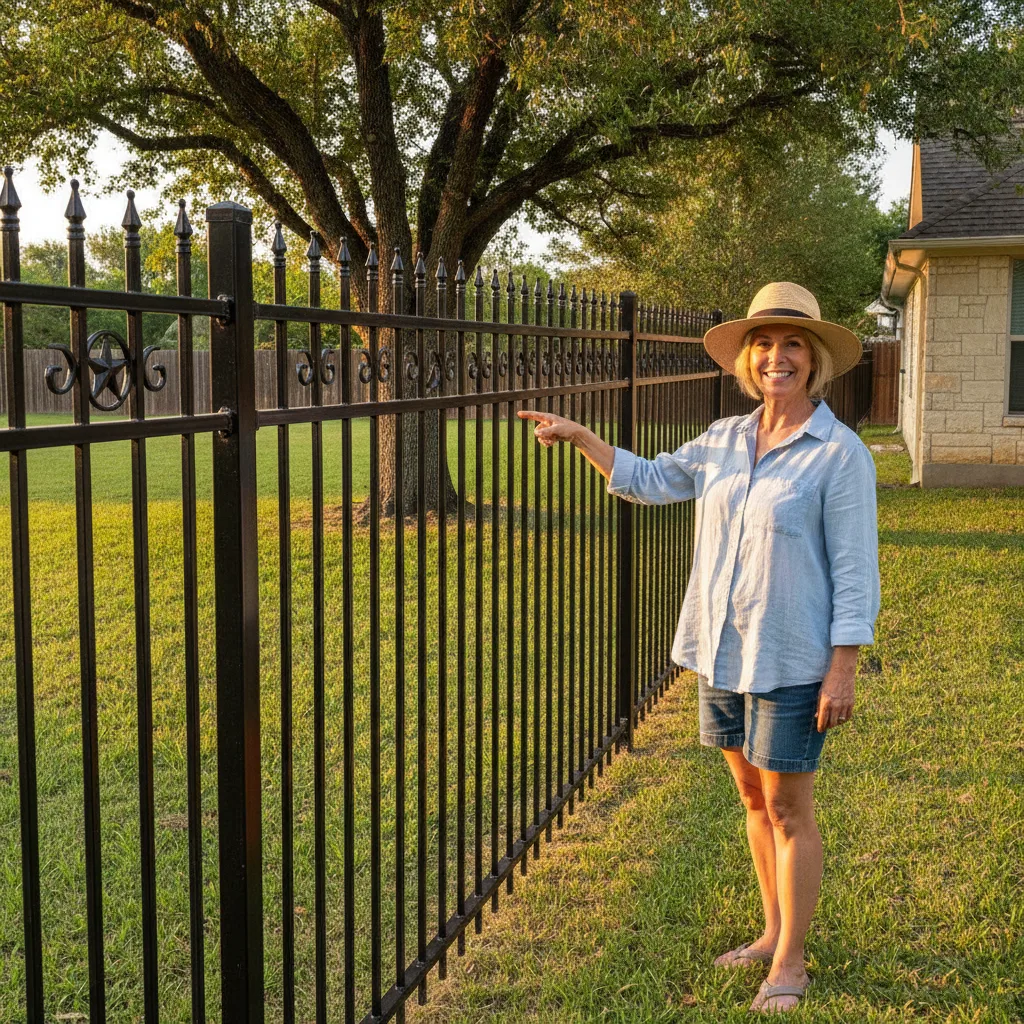
Do Not Let Gallery Speed Become Your Conversion Killer
Every step in this guide produces zero results if your gallery pages load in 6 or more seconds on mobile. 53% of mobile visitors abandon pages that take longer than 3 seconds to load, and 71% of home service website traffic is mobile as of 2026. Before you invest hours restructuring gallery architecture, run your site through Google PageSpeed Insights on mobile. If your LCP is above 4 seconds, compress and convert images first (Step 4), then layer in the structure, alt text, and social proof. A fast, sparse gallery outconverts a slow, beautiful one every time.
The Jan Fence case study makes the math undeniable: a fence company that rebuilt its website around professional project photography, organized gallery architecture, and customer testimonials on every page grew revenue from $105,000 to $942,000 in a single six-month period — a 790% increase. That result combined Google Ads and Local Service Ads with a gallery-forward website, which is the point: paid ads scale what already converts. If your gallery tab is a dumping ground for unorganized job photos, you are paying Google Ads CPCs to send homeowners to a page that loses them. Fix the gallery first. Then scale the spend. If you want a free strategy session to identify exactly which of these seven steps will move the needle fastest for your fence business, Geek Powered Studios offers a free strategy call with no obligation — schedule one and bring your current Google Search Console data. Texas fence installation projects average $3,599–$8,521 per job. The photo is the product. Homeowners will not call a company that cannot show them exactly what they are buying.
Frequently Asked Questions
Ready to get started? Contact Geek Powered Studios today.