
AI for workflow automation in home services means replacing repetitive, rule-based tasks with AI agents and low-code orchestration tools so your business responds to leads, books appointments, sends estimates, collects payments, and requests reviews without human intervention at each step. The six highest-ROI workflows for contractors in 2026 are: immediate lead response, appointment scheduling and reminders, AI-generated estimates and quote follow-up, automated invoicing and payment reminders, review request sequences, and platform selection (Zapier vs. Make vs. n8n vs. Jobber). Total monthly investment runs $400 to $2,000 depending on crew size and call volume. Monthly revenue recovered at full implementation: $2,500 to $6,000, per ServiceTitan's 2025 Home Services Industry Report. First-year ROI for a focused stack targeting a clear bottleneck lands between 280% and 520%.
-
30 minutesTime to complete the bottleneck audit in Step 1
-
90 secondsMaximum lead-response time to hit 62% appointment conversion
-
85%Reduction in per-invoice processing cost via AI automation
-
$2,500–$6,000/moMonthly revenue recovered at full 6-workflow implementation
-
$400–$2,000/moTotal monthly tool investment across all six workflows
-
280%–520%Typical first-year ROI when automation targets a clear bottleneck
AI for workflow automation cuts the admin load that drains a $1M home-services business by 20 to 30 hours per week — and as of September 2026, the contractors who have already automated are responding to leads in 90 seconds, sending invoices in 60 seconds, and collecting reviews after every job without anyone in the office touching it. This guide covers the six workflows with the highest dollar return, in priority order, with named tools, real cost ranges, and the two failure modes that kill implementations before they produce a dime. Whether you run a 3-tech plumbing crew or a 15-tech roofing operation, the stack is the same — only the platform tier changes.
Before you start
- An active CRM or field-service platform — Jobber ($69–$200/month), Housecall Pro ($69–$200/month), or ServiceTitan ($398–$598/month) — even a basic, partially configured account works as a starting point.
- A dedicated business phone number routed through a trackable system: CallRail, Twilio, or your platform's built-in number, so missed calls can be measured and used as automation triggers.
- Admin access to your Google Business Profile and at least one review platform (Google or Yelp) for the review-request workflow in Step 6.
- A Zapier, Make, or n8n account — free tiers work for initial testing; paid plans are required at production volume.
- A written list of your top 3 time-drains: the repetitive tasks your office staff or you personally do more than 10 times per week.
- Basic familiarity with if/then logic — you do not need to write code, but you must be able to describe a process as a sequence of steps with conditions.

Map Your Bottleneck Before Touching Any AI Workflow Automation Tool
AI workflow automation refers to using machine learning and natural language processing to replace repetitive, rule-based tasks — and the single most common mistake contractors make is skipping the bottleneck audit and buying tools first. Process gaps — inconsistent inputs, undocumented decision rules, and untracked exception paths — account for more than 80% of automation failures, while tool and technical issues account for less than 20%, per a 2026 AI Essentials analysis. Automating a broken process does not fix it; it accelerates the chaos.
The audit takes 30 minutes. Pull your last 90 days of data and answer four questions: (1) How many inbound calls went unanswered? (2) How many quotes were sent but never followed up on? (3) How many invoices sat unpaid past 15 days? (4) How many jobs finished without a review request going out? Each 'yes, but we do that manually' answer is an automation candidate. Each 'we don't actually track that' answer is a process gap you must close before any AI agent can help you optimize processes. McKinsey found that workflow redesign had the biggest effect on whether organizations actually saw EBIT impact from generative AI — yet only 21% of organizations had fundamentally redesigned at least one workflow as of their most recent report.
Write each candidate workflow as a plain sentence: 'When X happens, do Y, then Z.' If you cannot write that sentence cleanly, the workflow is not ready to automate. Repetitive admin tasks go first. Automating judgment work — deciding which leads to prioritize, which estimates to discount, which jobs to upsell — belongs at the end of your roadmap, not the beginning. That ordering discipline is what separates implementations that transform business operations from ones that quietly stop mattering six weeks in.
Jobber
$69–$200/month
Built-in reporting surfaces unanswered-quote and overdue-invoice counts automatically — eliminates manual data-pulling for the audit.
Housecall Pro
$69–$200/month
Comparable to Jobber; dashboard shows job completion rates and review-request send history at a glance.
Skip This If
You are already running ServiceTitan ($398–$598/month) — its built-in analytics surface the same bottleneck data without a separate audit tool. ServiceTitan is overkill for businesses under $1M in annual revenue; Jobber or Housecall Pro cover 90% of the same ground at a third of the cost.
Deploy AI Agents for Immediate Lead Response (the Highest-ROI Workflow First)
Contractors and home-service businesses miss 60 to 80% of incoming calls, and each missed call represents $200 to $2,000 in potential revenue, per 2026 industry benchmarks. The fix is an AI-powered first-response agent — an automated workflow that fires the moment a lead comes in through any channel (web form, missed call, Google Business message) and sends a personalized text or email within 90 seconds. Businesses responding within 2 minutes convert 62% of inbound leads into appointments; the industry average response time of 42 minutes converts only 28%. Unlike traditional automation that sends a static auto-reply, these AI workflows use natural language processing to parse the lead's message and personalize the response — which is why open rates run materially higher than generic confirmation texts.
The speed-to-lead math is stark. Contractors responding within 5 minutes are 21 times more likely to qualify a lead than those waiting 30 minutes, and 100 times more likely than those waiting an hour. Roofing companies using AI for storm-lead follow-up capture 40% more inspection appointments per campaign compared to manual dialing — and a roofing lead's conversion half-life is approximately 4 hours after a storm event. Build the trigger first: missed call or form submission fires a Zapier or Make scenario that hits your CRM, pulls the lead's name and service type, and sends a branded SMS through Podium or your platform's built-in messaging. The message confirms receipt, gives an ETA for a callback, and includes a scheduling link.
The cost math also favors AI agents decisively. AI-powered first response costs $2 to $8 per engagement versus roughly $30 per human rep — a 5 to 10x difference. A business handling 200 inbound leads per month saves approximately $72,000 annually by switching from human-first to AI-first response, based on a 2026 Prestyj analysis comparing $30 human cost against $5 AI cost at that volume. Deploying AI agents here is the highest-ROI single workflow in this stack. Do it first.
Podium
$399/month (Essentials)
Contractor-native messaging platform with built-in AI response, missed-call texting, and review requests in one dashboard — highest response rates in the contractor segment.
Zapier
$19.99/month (Professional, billed annually) for 750 tasks
Fastest no-code, low-code path to connect your web form, CRM, and SMS tool into a single automated lead-response workflow; pre-built app library means a non-technical office manager can build this in under 2 hours.
Make (formerly Integromat)
$9/month for 10,000 credits
Lower entry cost than Zapier; visual canvas makes multi-branch lead-routing logic easier to build, audit, and adjust.
Critical Timing Rule
78% of customers hire the first contractor who responds when comparison-shopping. Set your AI response trigger to fire within 90 seconds of lead receipt — not on a 15-minute polling schedule. Zapier's instant triggers and Make's real-time webhooks both support sub-2-minute response. Scheduled polling does not. This single configuration detail is the difference between a 62% and a 28% appointment conversion rate.
Automate Appointment Scheduling, Reminders, and Cancellation Recovery
AI-powered scheduling workflows cut the phone-tag loop entirely: a lead clicks the link in the first-response message, selects a time slot pulled from real availability in your field-service platform, and receives a confirmation plus two automated reminders — all without your office touching it. Home-service businesses using automated waitlist management fill 70 to 80% of cancellation slots, compared to 20 to 30% with manual callbacks, per a 2025 Houzz Industry Report. That gap represents one to two additional paid jobs per week for a typical 5-tech crew. AI workflow automation works here precisely because it removes the routine tasks — slot selection, confirmation, reminder cadence — that previously required human attention at every step.
The workflow has four nodes: (1) booking link sent in the lead-response message from Step 2, (2) calendar sync to Jobber or Housecall Pro that blocks the slot in the tech's schedule, (3) 24-hour and 2-hour SMS reminders with a one-tap confirm/reschedule option, and (4) a cancellation trigger that fires the waitlist sequence. The waitlist sequence texts the next three contacts on an 'interested but not booked' list with 'A slot just opened this Thursday at 2 PM — want it?' AI-driven scheduling also feeds route optimization: when slots fill geographically close together, AI route optimization for a 5-tech operation saves 30 to 45 minutes per tech per day, which translates to roughly one additional paid job per truck per day at typical service densities.
Unlike traditional automation, which requires a rigid rule set for every exception, AI-powered scheduling workflows use machine learning to learn which time slots fill fastest, which reminder cadence reduces no-shows, and which cancellation message wording gets the fastest waitlist response. Set a human escalation rule: if a job requires an on-site assessment before booking — large re-roofing, HVAC system replacement — the AI workflow flags it and routes it to a scheduler instead of completing the booking autonomously. That boundary between automated workflow logic and human judgment is where operational efficiency is actually built.
Jobber
$69–$200/month
Native scheduling, dispatching, and client notification in one platform — eliminates the need for a separate calendar tool and connects to Make and Zapier via webhook.
Housecall Pro
$69–$200/month
Built-in automated appointment reminders and two-way SMS; supports waitlist sequences via webhook integration with Make or Zapier.
Calendly (Teams)
$16/seat/month
Fastest standalone booking-link tool for contractors not yet on Jobber or Housecall Pro — integrates with both Zapier and Make out of the box.
Build AI-Powered Estimate Generation and Quote Follow-Up Sequences
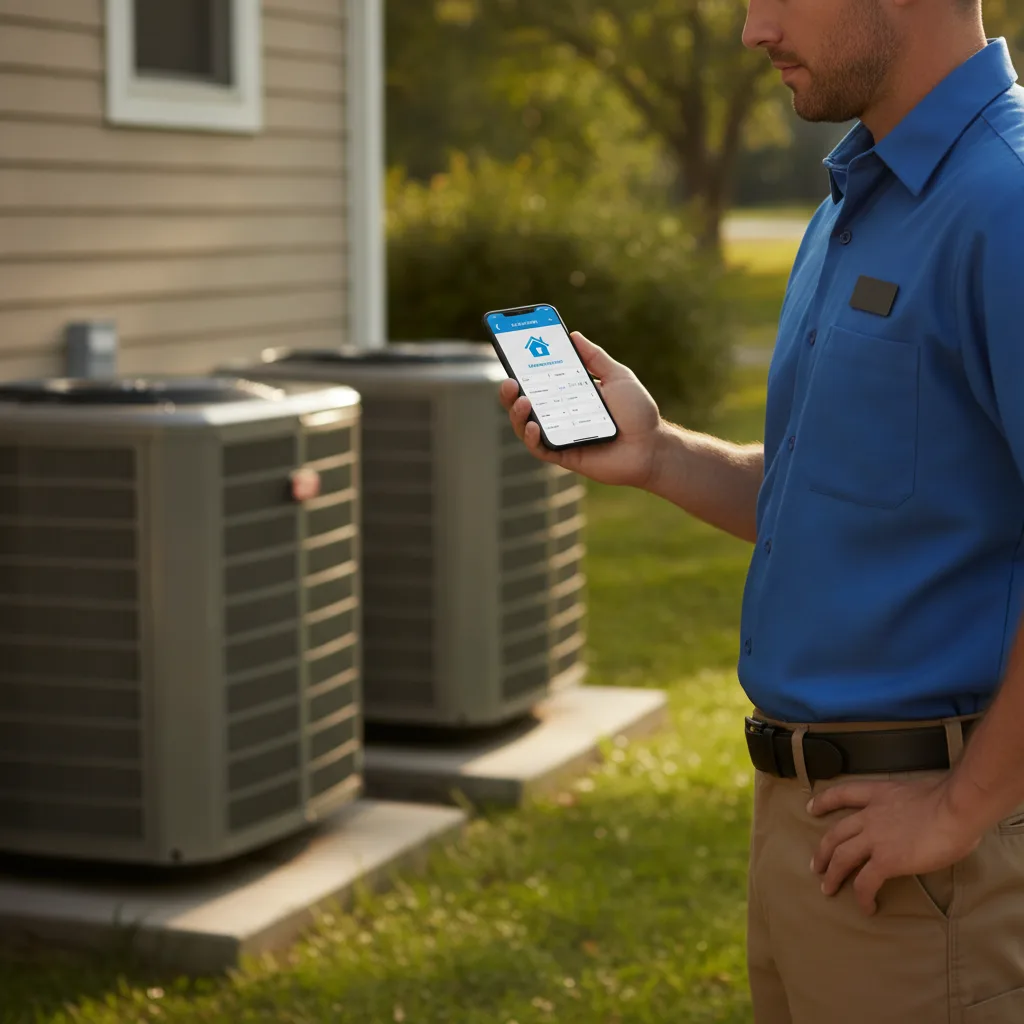
AI-generated estimates cut quote turnaround from 20 to 34 minutes manually to 4 to 7 minutes per job, according to QuoteIQ's 2026 benchmarks for home-service contractors. Speed matters because quote conversion rates drop sharply after 24 hours — a prospect who gets your estimate in 6 minutes while they are still on-site is far more likely to approve than one who gets it two days later. The workflow: the tech completes the job assessment, inputs scope into a mobile form, and the AI estimating tool generates a line-item quote using historical pricing data and material costs, which is then automatically sent to the customer via SMS and email. Integrating AI workflow automation into the estimating process also generates unstructured data that trains your pricing model over time, using machine learning to flag when your prices are out of market.
The follow-up sequence is where most contractors leave money on the table. Build three automated follow-up messages: (1) 24 hours after quote delivery, a check-in text with a one-tap approval button; (2) 72 hours out, a message that addresses the most common objection for that job type ('If cost is a concern, we offer financing through GreenSky — click here'); (3) 7 days out, a final message that sets a gentle deadline. Businesses using automated quote follow-up sequences recover 15 to 25% of quotes that would otherwise go cold, per Housecall Pro usage data. Those recovered quotes represent real revenue from work you have already done the hard part of — the site visit and the estimate.
Every approved and declined quote feeds back into the AI system, which uses machine learning to flag systematic underpricing by job category, by tech, or by zip code — data analysis most contractors have never had access to before. That feedback loop is a genuine artificial intelligence function, not just robotic process automation firing the same rule every time. For best ai workflow tools in the estimating category, QuoteIQ and Jobber's native Quotes module cover the majority of contractor use cases without requiring custom code.
QuoteIQ
$49–$99/month
AI estimator built specifically for home-service contractors; generates line-item quotes in 4–7 minutes from mobile job-site input.
Jobber (Quotes module)
Included in $200/month Connect plan
Native quote generation with automated follow-up sequences and approval tracking — no third-party integration required.
Make
$9/month
Build multi-branch follow-up sequences with conditional logic — different messages based on job type, quote size, or days since delivery.
What AI Cannot Do Here
AI estimate generation works for standard-scope jobs: HVAC tune-ups, roof inspections, water heater replacements, electrical panel quotes. It breaks on complex custom projects where scope is genuinely ambiguous. For custom remodels, full roof replacements on unusual structures, or multi-system HVAC installs, keep a human estimator in the loop. Flag those job types in your intake form and route them out of the automated workflow before the AI touches them. Complex workflows with ambiguous inputs are where AI systems produce their most damaging errors.
Automate Invoicing, Payment Reminders, and Collections with AI Automation Tools
AI invoice automation reduces processing costs from $15.97 per invoice to $2.36 — an 85% reduction — while cutting processing time from 10.1 days to 3.2 days, per a 2025 Ardent Partners report. For a contractor processing 100 invoices per month, that is a swing from $1,597 in processing cost to $236, plus the cash-flow benefit of getting paid 7 days faster. Jobber users invoice an average of 11 days faster than companies using QuickBooks alone, per ANGI's 2025 Home Services Report — that gap compounds into real working capital across a busy season. Automate routine tasks in invoicing before any other finance function; this is where manual data entry and delay cost the most.
The invoicing workflow fires automatically at job completion: the tech marks the job done in the field-service app, the AI system pulls the approved quote line items, generates the invoice, attaches any job-site photos, and sends it via SMS and email within 60 seconds of job close. Payment reminder sequences then run on a fixed cadence: Day 1 (invoice delivered), Day 3 (friendly reminder with a pay-now button), Day 7 (second reminder noting the due date), Day 14 (final notice before a collections escalation flag fires to the office manager). Automated payment sequences reduce average days-to-payment by 8 to 12 days for most home-service businesses, per Jobber's internal data.
The AI layer on top of traditional invoice automation is predictive: the system learns which customers historically pay late, flags those invoices at creation, and moves them into a higher-frequency reminder sequence automatically. It also categorizes transactions for bookkeeping at 95% or better accuracy after two weeks of training, eliminating most manual data entry into QuickBooks or Xero. That data transformation — from raw payment records into categorized expense lines — is a machine learning function, not robotic process automation firing the same rule every time. The result is better workflow efficiency and cleaner books with less human effort at every stage.
Jobber
$69–$200/month
End-to-end invoicing with automated payment reminders, online payment collection, and QuickBooks sync — purpose-built for field service.
Housecall Pro
$69–$200/month
Instant invoicing from the field app, automated payment reminders, and consumer financing integration.
QuickBooks Online (with AI categorization)
$35–$100/month
AI-powered transaction categorization at 95%+ accuracy after initial training; syncs with Jobber and Housecall Pro to eliminate duplicate entry and reduce manual processes.
Run Automated Review Request Sequences to Build Organic Search Authority
Automated review request sequences are the highest-leverage, lowest-cost marketing workflow a home-service contractor can run: the ask goes out at the moment of peak customer satisfaction, response rates are 3 to 5 times higher than cold asks, and every new Google review compounds local SEO rankings for years. The workflow fires 30 to 60 minutes after the tech marks a job complete in the field-service platform — long enough for the homeowner to get inside, short enough that the experience is still fresh. The message uses the customer's first name, names the tech who did the work, and links directly to your Google Business Profile review form, eliminating the three-tap friction that kills manual review campaigns. AI-powered workflow automation handles the timing and personalization automatically; you set the rules once.
Platform-native sequences in Jobber and Housecall Pro handle the basic trigger. For more control — conditional logic that sends a 'how did we do?' internal survey first and routes only 4- and 5-star responses to Google — build the workflow in Make or Zapier. That two-step filter protects your public rating while still capturing negative feedback privately. A contractor running 80 jobs per month at a 25% review conversion rate adds 20 new Google reviews per month. At 240 new reviews per year, local search rankings shift materially within 90 days. Gartner reported in May 2026 that AI tools save professionals 4.8 hours per week on average — review sequences are exactly the kind of automated workflow that recaptures those hours from a task that was previously skipped because nobody had time to do it manually.
The follow-up sequence matters. If the first message goes unread after 48 hours, fire a second with a different subject line and a different channel — if the first was SMS, the second goes email, or vice versa. Do not send more than two requests per job. The AI workflow tracks open and click status from your email platform — Mailchimp, ActiveCampaign, or the platform's native email — and stops the sequence automatically on engagement. That intelligent automation behavior, adapting based on real-time data about what the customer already did, is what separates AI-driven review sequences from a static mass-email blast.
Podium
$399/month (Essentials)
Review request automation with AI-timed sends, multi-channel delivery, and a unified inbox for responses — highest response rates in the contractor segment.
Jobber (Client notifications)
Included in $200/month Connect plan
Native post-job review request trigger tied to job-complete status — zero additional integration required for the basic workflow.
NiceJob
$75/month
Dedicated review automation tool with A/B testing for message timing and wording — integrates with Jobber, Housecall Pro, and ServiceTitan.
Choose the Right AI Workflow Automation Platform: Zapier vs. Make vs. n8n vs. Vertical Tools
The best ai workflow automation platform for a home-services contractor is determined by three variables: technical team capacity, monthly task volume, and whether you need vertical-specific features or general workflow orchestration. Non-technical teams with under 5,000 tasks per month should start on Zapier (Professional at $19.99/month billed annually for 750 tasks) or Make ($9/month for 10,000 credits). Zapier's pre-built app library and drag-and-drop interface mean a non-technical office manager can build the lead-response workflow in Step 2 in under two hours. Make's visual canvas and visual workflow builder handle multi-branch conditional logic — like the review filter in Step 6 — more cleanly than Zapier at the same price point. Both are low-code automation platforms with free tiers for initial testing and paid plans for production volume.
At scale, the cost math flips toward n8n. A 10-step workflow running 10,000 times per month costs 10,000 executions on n8n but 100,000 tasks on Zapier. Self-hosted n8n on a $50/month server handles workloads that would cost $1,500 or more per month on Zapier — a 5 to 8x cost difference. n8n 2.0, released in January 2026, added native LangChain integration, 70-plus AI-specific nodes, persistent agent memory, and support for self-hosted large language models, making it the leading workflow automation platform for technical teams building sophisticated AI-driven workflows with complex workflow orchestration needs. Agency-built foundational n8n setups — covering CRM integration, outbound sequences, client delivery, and reporting — typically cost $2,500 to $5,000 for the initial build, recovered within the first month of operation at Zapier-equivalent volume. For teams that want an AI agent builder with full workflow orchestration and the ability to self-host for data privacy, n8n is the correct choice.
For contractors who want to skip the general-purpose orchestration layer entirely, a vertical workflow automation platform like Jobber ($69 to $200/month) or Housecall Pro ($69 to $200/month) already has the six workflows from Steps 2 through 6 built in at varying depths. The tradeoff: vertical platforms are purpose-built for field service but lack the flexibility to connect to arbitrary external systems or build complex AI agents that integrate existing tools outside their ecosystem. ServiceTitan ($398 to $598/month) adds deeper analytics and AI-powered dispatch but is overkill for businesses under $1M in annual revenue. Decision matrix: under $750K revenue with a non-technical team, start with Jobber or Housecall Pro. $750K to $2M with some technical capacity, add Make or Zapier on top. Over $2M or running an agency managing multiple contractor clients, build on n8n.
Zapier (Professional)
$19.99/month (billed annually)
Largest app library, fastest no-code setup, best for non-technical teams connecting popular apps with simple workflow logic.
Make
$9/month for 10,000 credits
Best visual workflow builder for multi-branch logic; 10,000 credits stretch 3–5x further than Zapier's task count at the same spend.
n8n
Open-source (self-host free); cloud plans from $20/month
5–8x cheaper than Zapier at scale; n8n 2.0 (January 2026) adds LangChain, 70+ AI nodes, and persistent memory for sophisticated AI agents and complex workflows.
ServiceTitan
$398–$598/month
Full-stack field service platform with built-in AI dispatch, reporting, and marketing automation — only cost-justified above $1M in annual revenue.
Deploying AI Agents: The Monitoring Rule
AI workflow automation breaks in five predictable ways in production: hallucinations, tool and API failures, context loss, workflow ordering bugs, and prompt injection. Silent failures damage trust fastest because the workflow 'runs' but produces wrong outputs for weeks before anyone notices. Build a monitoring layer before you scale: a daily Slack or email digest that reports task counts, error rates, and any workflow that fired zero times in the last 24 hours. Error handling paths — not just happy-path logic — are non-negotiable on every platform, whether you are on Zapier, Make, or n8n. Monitoring matters as much as deployment.

The Failure Mode That Kills Implementations Before They Pay Off
The most common single mistake in small-business AI automation is automating judgment work before automating repetitive admin. Judgment work — deciding which leads are worth chasing, which estimates to discount, which jobs to prioritize — requires context your AI systems do not yet have. Start with the six workflows in this guide in the order listed. Each one runs on clean, predictable inputs: a lead form fires, a job closes, an invoice generates. Once those automated workflows are running and monitored, your AI systems start accumulating the historical data they need to handle more complex decisions. The businesses recovering $2,500 to $6,000 per month through home-service automation got there by automating the boring stuff first — not by buying an AI platform and hoping it figures out the business logic on its own.
As of September 2026, 82% of small business employers use at least one AI automation tool, up from 26% in Q2 2023. The contractors not yet automating are not competing on service quality alone — they are competing against businesses that respond to leads in 90 seconds, send invoices in 60 seconds, and collect reviews automatically after every job. The six workflows in this guide — lead response, scheduling, estimating, invoicing, review requests, and the platform decision — represent the full revenue and operations stack that a $1M home-services business should have running before investing in anything more sophisticated. Total monthly investment: $400 to $2,000 depending on crew size and call volume. Monthly revenue recovered at full implementation: $2,500 to $6,000. First-year ROI for a focused automation stack targeting a clear bottleneck typically lands between 280% and 520%. Start with Step 1 — the 30-minute bottleneck audit — and build from there.
Frequently Asked Questions
Ready to get started? Contact Geek Powered Studios today.