
A high-converting dental website design requires 14 specific, ROI-tied elements: a measured conversion baseline, mobile-first speed under 3 seconds, above-the-fold click-to-call and CTA placement, a 4-to-6-field booking form with online scheduling, individual service pages for every dental care offering, local SEO and Google Business Profile integration, a patient review strategy with on-site display, FAQ content with conversational keywords for AI search, dentist schema markup, HIPAA-compliant before-and-after photos, trust-building team bios, an after-hours AI chatbot or booking widget, pricing transparency with insurance information, and a monthly conversion tracking cadence. The average dental practice website converts 3–5% of visitors; fixing these 14 elements pushes top performers to 8–15% — the difference between 10 and 25 new patients per month from the same ad spend.
-
3–5% vs. 8–15%Baseline vs. top-performer dental website conversion rate
-
$216,000/yrAdded revenue from moving 500 monthly visitors from 2% to 5% conversion
-
72.3% mobile trafficShare of dental clinic web visits arriving from mobile devices in 2026
-
34% more completionsForm completion lift from reducing fields from 12+ down to 4–6
-
32% Local Pack weightShare of Google Maps ranking algorithm driven by Google Business Profile signals
-
15:1 to 30:1 ROIReturn ratio on dental marketing when the website converts at the top range
-
35% higher CTRClick-through rate lift from schema markup rich results vs. plain listings
-
$4,500–$22,000+Patient lifetime value range for a general dental practice
Your dental website is either booking new patients or quietly leaking them — and the gap between a 3% conversion rate and an 8% conversion rate is worth $216,000 in annual revenue at 500 monthly visitors. This is a conversion audit, not a design inspiration piece. Each of the 14 elements below is justified by a specific patient-acquisition metric. Use this list to grade your current dental website design against what top-performing practices are actually doing in 2026, then hand the gap list to your developer with a prioritized fix order.
Before you start
- Access to your dental website's CMS or a direct developer contact who can make front-end changes within 48 hours
- Google Search Console and Google Analytics 4 already set up and collecting at least 30 days of data — both are free
- A Google Business Profile claimed and verified for every practice location
- Three baseline numbers pulled and written down: monthly sessions, monthly form submissions, and monthly booked appointments from the website
- Practice management system login (Dentrix, Eaglesoft, or Open Dental) — required for booking widget integration in Element 4
- Budget clarity: $4,000–$8,000 for a mid-range custom dental website design rebuild, or an estimate of available developer hours if patching an existing site
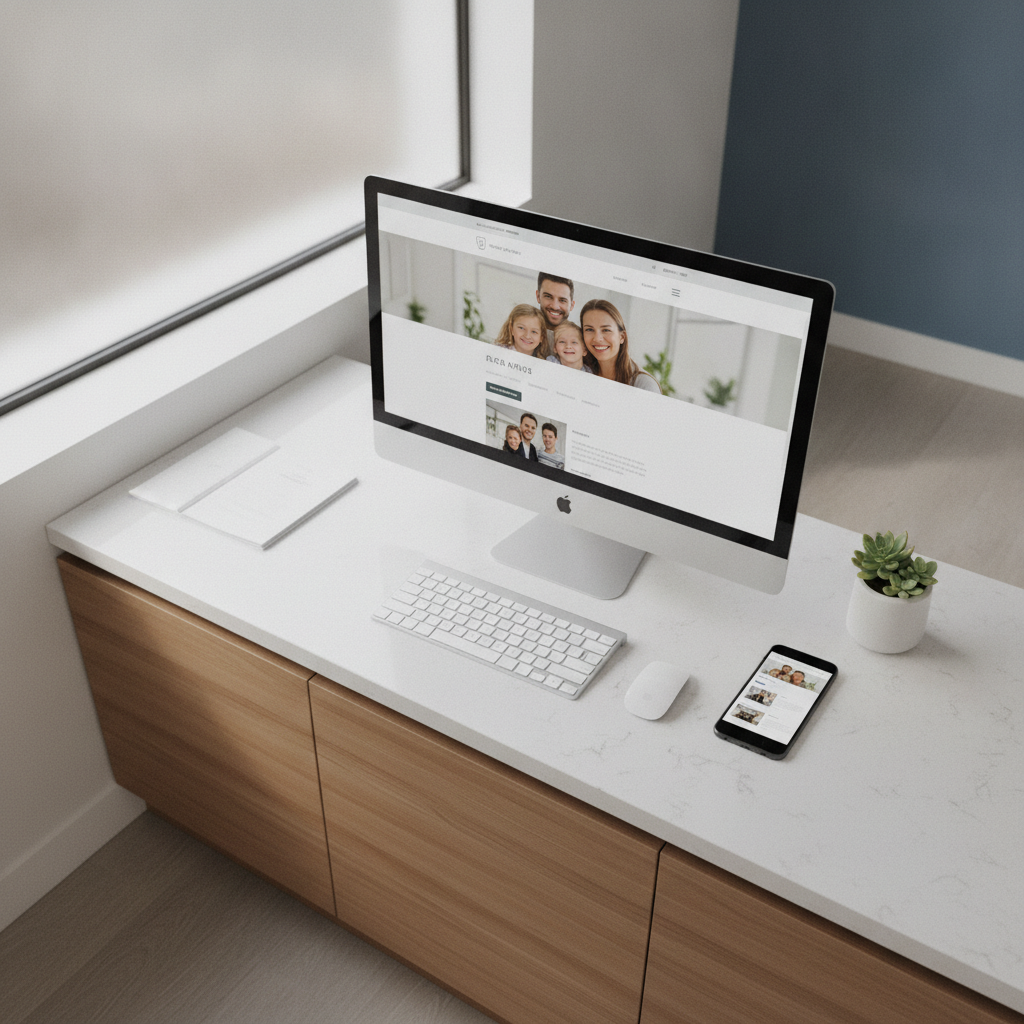
Establish Your Dental Website Design Baseline: Conversion Rate and Cost Per Lead
The average dental website converts 3–5% of visitors into leads; top-performing dental practice websites reach 8–15% through deliberate optimization. If you don't know your current conversion rate, every design decision you make is a guess. Pull 90 days of data from Google Analytics 4: divide total contact form submissions plus booked appointments by total sessions, then multiply by 100.
The math matters more than most dentists realize. At 500 monthly visitors, moving from 2% to 5% conversion adds 180 booked appointments per year. At a $1,200 average treatment value, that's $216,000 in additional annual revenue from the same marketing spend. A conversion rate shift from 2.5% to 3.5% alone drops cost per lead from $160 to $114 — a 29% reduction with zero additional ad budget.
Record three numbers before touching a single page element: monthly sessions, monthly conversions (form fills plus booked appointments), and current cost per lead. These are your before-state. Every element below maps directly to moving one of them.
Google Analytics 4
Free
Tracks sessions, conversion events, and goal completions — the source of truth for your before-and-after data on website performance
CallRail
From $45/mo
Attributes inbound calls to specific pages and campaigns so phone conversions don't disappear from your conversion rate calculation
Common mistake
Most dental offices count form submissions as their only conversions. Phone calls from the website often represent 40–60% of total leads — and they go completely unmeasured without call tracking. Add a CallRail tracking number before you start optimizing so you're not running a partial audit.
Build a Mobile-First Layout That Loads Fast: Under 3 Seconds
Mobile devices account for 72.3% of dental clinic web traffic as of 2026, yet only 38% of dental clinic sites score above 50 on Google PageSpeed Insights for mobile. A mobile-first dental website design isn't a preference — it's the primary design canvas, with desktop treated as a secondary viewport. Fast load times are the entry fee.
Pages loading in under 3 seconds convert 2.4x more visitors than pages taking 5 seconds or longer. The specific Core Web Vitals targets are LCP under 2.5 seconds, INP under 200ms, and CLS under 0.1. Miss any one of them and you're losing patients before a single word of copy gets read. Run your current URL through Google PageSpeed Insights right now and screenshot the mobile score — most dental clinic sites score in the 30–45 range. A mobile-friendly site that loads fast is what makes every other element on this list worth the effort.
The five most common speed killers on dental practice websites are uncompressed hero images above 1MB, render-blocking Google Fonts loaded synchronously, third-party chat widgets firing on page load, unoptimized video embeds, and bloated WordPress page-builder markup. Fix images first: compress every photo to WebP format under 150KB using Squoosh. That single change moves most dental sites from the 30s into the 60s on PageSpeed without touching a line of code.
Google PageSpeed Insights
Free
Shows LCP, INP, and CLS scores for both mobile and desktop — the exact metrics Google uses for Core Web Vitals ranking signals
Squoosh
Free
Browser-based image compressor that converts JPEG/PNG to WebP and lets you set exact file size targets before re-uploading
WP Rocket
$59/yr per site
WordPress caching and lazy-load plugin that handles render-blocking scripts, deferred JavaScript, and CDN integration in one dashboard
Place Click-to-Call and Primary CTA Above the Fold on Every Page to Book Appointments
Adding a click-to-call button increases mobile bookings by 18–22% on dental campaign pages, and placing a phone number alternative beside a booking form increases total bookings by an additional 22–28%. Visitors spend an average of 23 seconds on dental practice homepages — the tap-to-call button and the primary booking CTA must both be visible without scrolling on any screen size.
The header of a great dental website carries four elements: logo on the left, phone number as a tappable link in the center or top-right, a 'Book Appointment' button in a contrasting color (not white or gray), and the practice address. Nothing else. Every additional navigation item competes with those conversion actions and statistically reduces clicks on both. A clean layout with easy access to the phone number and booking action is what makes visitors feel the path forward is obvious.
On service pages, repeat the CTA at least three times: once above the fold, once at mid-page after the treatment description, and once at the bottom above the footer. A/B test button copy between 'Book Appointment,' 'Request Appointment,' and 'Schedule Today' — all three outperform generic 'Contact Us' by a measurable margin. The first impression a patient gets on any page should point clearly toward a next action.
Pro tip
On mobile, pin the phone number and 'Book Now' button in a fixed bottom bar that stays visible as users scroll. This single layout change consistently produces the largest single-page conversion lift on dental sites without any copy changes.
Reduce Your Booking Form to 4–6 Fields and Add Online Scheduling
Reducing an online booking form from 12 or more fields to 4–6 essential fields increases form completion rates by 34% on average. The six fields that maximize both completion rate and lead quality are: first name, last name, phone number, email, preferred appointment date, and reason for visit (a short dropdown). Remove date of birth, insurance carrier, referring provider, and address — collect those via new patient forms after the appointment is confirmed at the front desk.
Online scheduling integration through NexHealth goes further than a static form: it shows real-time calendar availability pulled directly from Dentrix, Eaglesoft, or Open Dental, preventing double-bookings and eliminating the phone-tag loop that kills after-hours appointment requests. NexHealth integrates with 35-plus practice management systems as of 2026. Dental practices lose 10–15% of scheduled appointments to no-shows, and a meaningful share of new-patient calls go unanswered after hours — real-time online scheduling closes both gaps simultaneously. It also makes new patient forms easier to distribute before the first visit.
If budget doesn't support NexHealth at launch, a Typeform or Gravity Forms embed with a 5-field layout is a functional interim. Plan the migration path: practices that switch from static forms to real-time scheduling see measurable drops in no-show rate within the first 60 days because the confirmation and reminder sequences are built into the scheduling tool.
NexHealth
Typically $300–$500/mo
Real-time PMS sync with 35+ systems including Dentrix, Eaglesoft, and Open Dental — prevents double-bookings and automates appointment reminders
LocalMed
From $199/mo
Lighter-weight online scheduling widget with PMS integration, suitable for single-location practices that don't need NexHealth's full feature set
Build Individual Service Pages for Every Dental Care Offering
A single 'Our Services' page listing all dental care offerings is one of the most common dental website design failures — it costs practices both search rankings and conversion rate simultaneously. Each dental service needs its own URL, its own H1, its own CTA, and its own schema markup. Target one primary keyword per service page: 'dental implants [city],' 'Invisalign [city],' 'emergency dentist [city],' and so on. This structure is what gives search engines a clear signal about what procedures you offer and where.
Service pages convert better than general pages because they match search intent precisely. A patient searching 'dental implants Austin' who lands on a page dedicated to that treatment — with a cost range, procedure walkthrough, before-and-after gallery, and a booking form — is far more likely to submit than one who lands on a homepage and has to find their way. Structure each service page with a keyword-matched H1, a 150–250 word introduction answering 'what is it and who is it for,' a procedure overview, a FAQ section with at minimum 4 questions, patient testimonials specific to that treatment, and a CTA.
Priority service pages to build first for a general dental practice: dental implants, teeth whitening, Invisalign or clear aligners, emergency dental care, pediatric dentistry (if applicable), and dental crowns. These six dental services represent the highest-search-volume and highest-treatment-value combination in the dental industry. Each page you build is a separate asset that can rank, convert, and show up in AI search summaries independently.
Heads up
Alt text on every image within a service page is required for accessibility compliance and contributes to image search visibility. Write descriptive alt text that includes the treatment name and city — 'dental implants procedure consultation Austin TX' — not generic 'image1.jpg' filenames.

Implement Local SEO and Google Business Profile Signals for Local Visibility
Google Business Profile signals account for 32% of Local Pack ranking weight — no other single ranking factor comes close. The top 3 spots in Google Maps capture over 70% of all clicks on 'dentist near me' searches; practices outside the Map Pack are invisible to patients conducting local search. Your dental website and your GBP profile must function as a single connected system, not two separate assets. Local SEO for dental practices starts with this connection.
On the website side, local SEO requires: an embedded Google Map on the contact page, NAP (name, address, phone) in text format in the footer of every page, a location-specific landing page for each practice address if you have multiple offices, and city-level keyword targeting in title tags and H1s. On the GBP side: maintain a minimum of 25 photos (6 exterior, 6–8 interior, 4–6 team headshots, 4–5 clinical environment), post at least twice per month, and ensure your service list in GBP exactly matches the service pages on your website. This alignment tells search engines that your online presence is consistent and authoritative.
Local visibility on mobile also depends on page speed (Element 2) and schema markup (Element 9). All three factors interact: a fast, schema-tagged page for a specific dental service in a specific city has three separate ranking advantages working simultaneously. Use BrightLocal to track Local Pack position by keyword so you can measure changes after each improvement.
BrightLocal
From $39/mo
Tracks Local Pack ranking position by keyword and location, audits GBP data consistency across directories, and monitors citation accuracy
Google Business Profile Manager
Free
Primary dashboard for GBP optimization — photo uploads, post scheduling, Q&A management, and review response
Build Trust With Patient Reviews and a Dental Marketing Testimonials Strategy
77% of new dental patients check online reviews before choosing a provider, making Google star ratings the single most powerful patient acquisition signal in a dental practice's marketing stack. A dental website design that doesn't surface review content prominently — on the home page, on service pages, and in the page footer — is burying its strongest trust signal. Social proof works because it reduces the psychological gap between 'I found this dental clinic online' and 'I feel confident enough to book.'
The review strategy has two parts: acquisition velocity and on-site display. For acquisition, practices that maintain 100-plus Google reviews with new reviews posted within the last 30 days see measurably higher Map Pack visibility. Use Podium or RevenueWell to send automated post-visit review request texts — SMS outperforms email for review requests by a factor of 3 to 1. These tools also encourage patients to leave feedback on the platforms that matter most. For on-site display, embed a live Google review widget on the homepage (not a static screenshot), add patient testimonials with first name and treatment type to each service page, and include a star rating count in the footer.
Patient testimonials are not the same as before-and-after photos from a HIPAA compliance standpoint. Written testimonials with only a first name and general treatment reference carry minimal regulatory risk. Photos are a different category — addressed in Element 10.
Podium
From $399/mo
Sends automated post-visit SMS review requests, aggregates reviews from Google and Facebook, and provides a review widget for your website
RevenueWell
Contact for pricing
Dental-specific patient communication platform with review request automation, recall messaging, and PMS integration for Dentrix and Eaglesoft
Add a Dental Marketing FAQ Page With Conversational Keywords for AI Search
As of 2026, patients increasingly discover dental practices through AI-generated search summaries in ChatGPT, Perplexity, and Google AI Overviews — and FAQ pages with schema markup and conversational keywords feed these AI citation engines directly. A dental clinic with no FAQ page is invisible to a growing share of patient discovery traffic that never reaches a traditional search results page. FAQ schema is the bridge between your website and the AI tools that now summarize answers for prospective patients.
Build two types of FAQ content: a sitewide FAQ page covering general questions ('Does your dental office accept my insurance?' 'What should I do in a dental emergency?' 'How much does teeth whitening cost?') and FAQ sections embedded within each service page covering treatment-specific questions. Conversational phrasing matters more here than it does in standard SEO copy. A patient asking an AI assistant types full questions — 'How long does a dental implant procedure take?' not 'dental implant procedure duration.' Write your FAQ answers to match that phrasing, and lead each answer with a direct one-sentence response. This structure also feeds Google's People Also Ask boxes.
Target 8–12 questions on the main FAQ page and 4–6 questions per service page. Each answer should run 75–150 words. Anything shorter won't satisfy an AI's citation threshold; anything longer reduces the chance the AI pulls your exact phrasing as a snippet.
Install Dentist Schema Markup for Rich Results and Search Visibility
Schema markup — specifically Dentist, LocalBusiness, FAQ, and Review types — is required for dental websites to appear in Google Rich Results, People Also Ask boxes, and AI assistant recommendations as of 2026. Rich results powered by schema markup increase click-through rates by up to 35% over plain search listings. Without schema, your star rating, hours, and address don't appear in search results even if your GBP is fully optimized.
The six schema types a dental practice website needs, in priority order: Dentist (identifies the entity type and primary NAP data), LocalBusiness (address, phone, hours, geo-coordinates), FAQ schema (marks up your FAQ sections so Google can pull them into People Also Ask), Review (surfaces aggregate star ratings in SERPs), Service (tags individual treatment pages), and Breadcrumb (helps search engines understand page hierarchy). Implement these as JSON-LD blocks in the head of the relevant pages — not as microdata inline with HTML. This is the technical foundation that makes every other SEO effort on the site work harder.
Run Google's Rich Results Test on each page after implementation. The most common implementation error is mismatched NAP data between the schema block and the GBP profile — if the phone number format differs by a single character, the schema entity won't resolve correctly.
Google Rich Results Test
Free
Validates schema markup implementation and shows exactly which rich result types a page is eligible for
Schema App
From $99/mo
Manages JSON-LD schema at scale across all pages, supports all six dental schema types, and flags errors automatically
Watch out
Don't copy a generic LocalBusiness schema template without swapping in your actual NAP data, accepted insurance types, and payment methods. Generic schema blocks with placeholder text have been observed triggering Google manual actions for structured data misrepresentation.
Display Before-and-After Photos the Right Way: HIPAA-Compliant Visual Proof
Before-and-after patient photos require a HIPAA-compliant written authorization that is separate from the general intake consent form — because photos are classified as Protected Health Information (PHI). This is the element most dental website designers get wrong, not because they're careless, but because they're not healthcare compliance specialists. A general release signed at intake does not cover marketing use of clinical photography.
The compliant process has four steps: obtain a standalone marketing authorization form that specifies the exact photo or photos, the platforms where they'll be displayed (website, social media, Google Business Profile), and the patient's right to revoke at any time; store the signed authorization encrypted alongside the image file; add a 'results may vary' disclaimer on any page displaying clinical results; and remove photos immediately upon consent withdrawal. Professional photography of clinical results also needs controlled lighting and consistent angle standards to be usable in a modern dental website design — stock photos of 'perfect smiles' don't build patient trust the way authenticated before-and-after photos do.
On the website itself, before-and-after galleries perform best embedded within the relevant service page rather than in a standalone gallery section. A patient on the dental implants page who sees three real patient cases — with treatment timelines and brief outcome descriptions — converts at a higher rate than one who clicks through to a separate gallery and loses the booking context.
Don't Let a HIPAA Misstep Erase Your Before-and-After Gallery
The most common compliance gap on dental practice websites in 2026 is using patient clinical photos obtained under a general intake consent. That consent does not authorize marketing use. Before-and-after photos are PHI — they need a standalone written marketing authorization specifying each image and each platform. HHS HIPAA enforcement has issued fines starting at $100 per violation, with repeated violations running to six figures. If your designer built a before-and-after gallery without collecting individual photo authorizations, pull it offline today and rebuild it correctly. No conversion lift from a gallery is worth a civil penalty.
The gap between a dental website that generates 3% conversions and one that generates 8% is not a design gap — it's a systems gap. These 14 elements are not aesthetic choices; each one has a patient-acquisition dollar amount attached to it. The dental practices consistently hitting the upper conversion range are not spending more on ads. They built a site where every page element either moves a visitor toward a booking or gets out of the way. Start with Element 1 (measure your baseline), fix Element 2 (mobile speed), and install Element 4 (streamlined booking form with online scheduling) in the first 30 days. Those three changes alone typically move a mid-performing dental website from a 3% to a 5% conversion rate — and at 500 monthly visitors, that's 12 additional booked appointments per month before you touch a single other line of copy or code. If you want an agency to run this audit for you and hand back a prioritized fix list with developer-ready specs, that's exactly what we do at Geek Powered Studios.
Frequently Asked Questions
Ready to get started? Contact Geek Powered Studios today.