
A restoration company website converts crisis callers when it does four things within the first four minutes a homeowner spends on their phone: loads in under 2.5 seconds, shows a sticky click-to-call button with a concrete dispatch promise, confirms 24/7 live-answer availability above the fold, and displays IICRC credentials and insurance-claim guidance before the visitor scrolls. Most construction websites built for restoration firms are designed like general contractor portfolios — project galleries, an about page, and a footer phone number. That design assumes a comparison shopper with days to decide. Restoration buyers have a flooded floor and four minutes. Fix page speed first, lock in the sticky call button second, and build out city-specific service pages and trust infrastructure from there.
-
9.9 secondsAverage LCP for restoration construction websites — nearly 4x Google's 2.5-second threshold (Borah Labs, July 2026)
-
Up to 200%Mobile conversion lift from a prominent sticky click-to-call button vs. footer phone number
-
68% / 88%Share of restoration emergencies after hours / callers who hang up on voicemail (Pitchit, 2026)
-
46% vs. 2–3%Phone lead conversion rate vs. web form conversion rate (Invoca 2026 Home Services Benchmarks)
-
72%Consumers who check business credentials before hiring — IICRC display is a direct revenue lever
-
$775Average water damage lead cost in Dallas — a 4% vs. 12% conversion rate triples effective cost per job
-
8,667Federal ADA Title III lawsuits filed in 2025 — unlabeled call buttons are routine targets
-
340%Spike in emergency restoration searches during spring storm season — city pages need 60 days to index first
Most construction websites built for restoration companies lose the job before the homepage finishes loading. The average restoration site takes 9.9 seconds to render its main content — nearly four times Google's 2.5-second LCP threshold — and the homeowner with a flooded floor at 11 PM is not waiting (Borah Labs, July 2026). She has four minutes, a phone in her hand, and four competing search results open in separate tabs. This guide walks through eight specific website elements that determine whether she calls you or your competitor: page speed, sticky click-to-call, availability messaging, insurance-claim guidance, IICRC trust signals, before/after project proof, service-area pages, and ADA compliance. Each step includes the exact spec, the tool, and the number that justifies the priority. Read through the full list before you start — understanding the scope of all eight steps lets you make smarter decisions about which ones to tackle first and which ones to hand off.
Before you start
- Google Search Console and Google PageSpeed Insights access for your current domain — you need field-data LCP scores, not just lab scores
- IICRC certification numbers, expiration dates, and logo files ready to upload to a dedicated certifications page
- Before/after job photos from at least 10 completed projects, shot on-site (phone camera in good light beats stock imagery)
- A live-answer or 24/7 dispatch system already active — Answerforce, Nexa, or Patlive — before any availability copy goes live on the site
- WordPress or a CMS that supports custom sticky headers, JSON-LD schema markup, and per-page template control
- A CallRail or similar call-tracking account so you can measure which pages and hours actually drive calls after launch
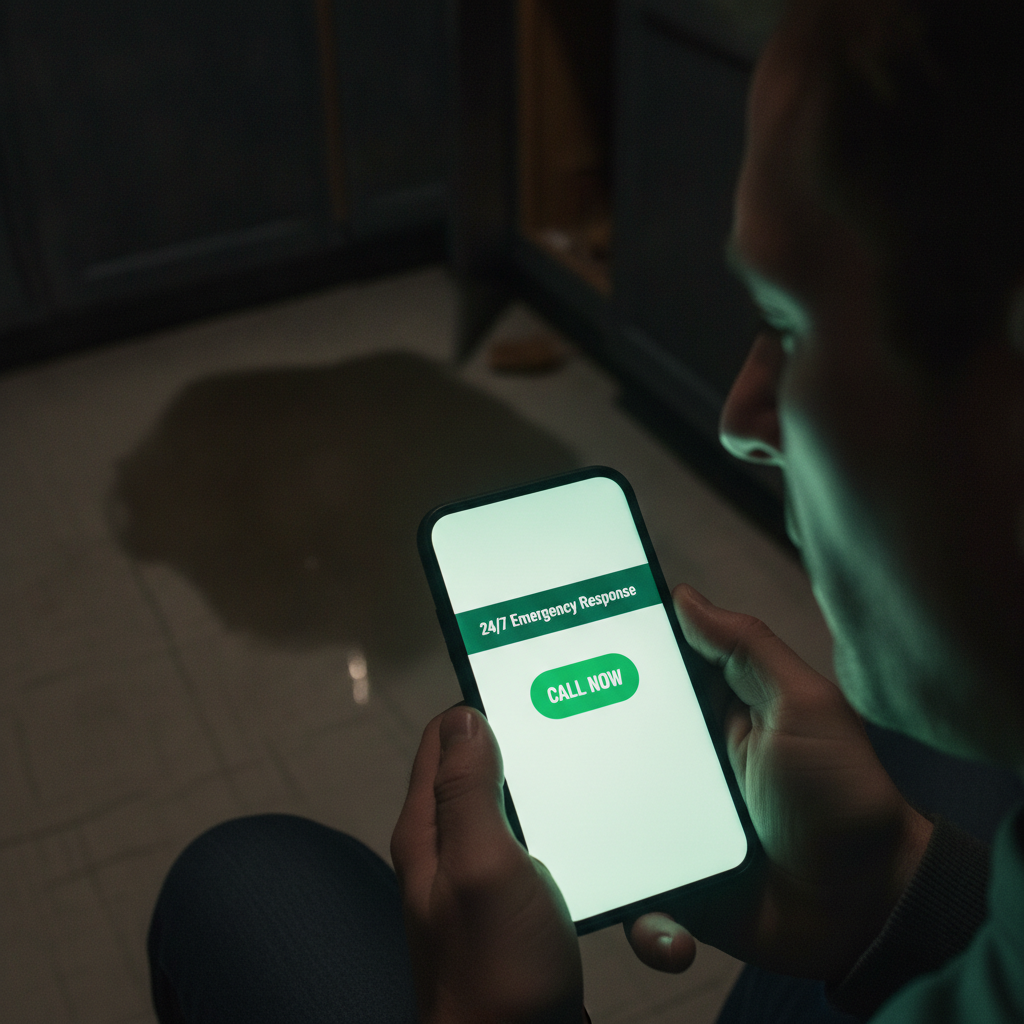
Cut Page Load Time Below 2.5 Seconds Before Any Other Fix
The average restoration website takes 9.9 seconds to render its main content — nearly four times Google's 2.5-second LCP threshold — which means most construction websites in this category lose the job before the homepage even appears (Borah Labs, July 2026). Every additional second beyond that threshold cuts conversions by 7% and pushes bounce rate up by 11%. A site with 200 monthly organic visitors and a $3,500 average job value stands to gain $49,000 per month in recoverable revenue just by shaving 2 seconds off load time (WebTonic/Searchlab model, 2026). That is the kind of outcome that makes speed the only right place to start.
Start with Google PageSpeed Insights to get a baseline LCP score, then address the three highest-impact fixes in order: compress and convert all images to WebP format, eliminate render-blocking JavaScript from third-party chat widgets (chat widget bloat alone can push Google's INP metric above the 350ms failure threshold), and switch to a host with server response times under 200ms. Most construction websites run shared hosting that adds 400–800ms before a single byte loads. A dedicated WordPress host like WP Engine or Kinsta at $30–$60/month solves this in one step. The lesson most restoration contractors learn too late: a slow host is not a template problem or a design problem — it is a server problem, and no amount of content refinement will fix it.
Speed is not a developer concern — it is a lead-cost concern. At $775 per water damage lead in a competitive Dallas market (ResultCalls, July 2026), a slow site that converts at 4% instead of 12% triples your effective cost per acquired job. Fix load time first; every other element on this list underperforms on a slow foundation. General contractors and restoration firms that have completed a site redesign focused on speed report the performance lift shows up in CallRail data within the first 30 days. Think of page speed as the upgrade that makes every other investment on this list actually work.
Google PageSpeed Insights
Free
Gives field-data LCP, INP, and CLS scores tied to real Chrome users on your actual site
WP Engine or Kinsta (managed WordPress hosting)
$30–$60/month
Dedicated server environments cut TTFB below 200ms without requiring developer infrastructure work
ShortPixel (image compression)
$9.99/month
Batch-converts existing JPEG/PNG job photos to WebP and auto-compresses on upload
Watch out
Live-chat widgets from third-party vendors (Tidio, LiveChat, Drift) commonly add 800ms–1.4 seconds of render delay. If your chat widget is not actively staffed 24/7, remove it entirely — it hurts speed without delivering the live-answer benefit restoration callers expect.
Add a Sticky Click-to-Call Button to Every Page Header
Prominently displaying a click-to-call button in the sticky header increases mobile call-to-conversion rates by up to 200% compared to hiding the phone number in the footer or behind a contact form (Twilio/CubeCreative, 2025–2026). For restoration companies, this is not a design preference — it is the single highest-ROI element on the entire site. Phone leads convert at 46% versus 2–3% for web forms (Invoca 2026 Home Services Benchmarks), and 37% of those phone leads close on the first call. Firms that specialize in crisis-driven home services understand this intuitively; most general-purpose construction websites are built for the opposite buyer psychology.
The button must meet three specs to perform: minimum 44px tap target height on mobile (per WCAG 2.1 AA, which also protects against ADA Title III litigation — 8,667 federal lawsuits filed in 2025 per the Seyfarth tracker), a high-contrast color that clears a 4.5:1 contrast ratio against the header background, and copy that states a concrete promise rather than a generic label. 'Call Now: On-Site in 60 Minutes' outperforms 'Contact Us' by up to 332% in CTA benchmark research compiled as of 2026 (WiserNotify). Write the button copy around your actual dispatch time — if you can commit to 45 minutes, say 45 minutes. Potential clients respond to specificity; vague labels are things the right buyers scroll past without clicking.
Set the header to position:sticky in CSS so the button scrolls with the visitor on every page, including service subpages and blog posts. Most construction websites built on general-purpose themes do not enable this by default. Confirm it on both iOS Safari and Android Chrome before launch, since sticky header behavior differs between browsers. Build trust by keeping the button visible at all times — a potential client should never have to scroll back to the top to find your number. Clear navigation and a persistent call button are the two things that do more conversion work than any other design element on a restoration site.
CallRail
$45/month
Tracks which pages and campaigns generate calls so you can measure the exact revenue impact of your sticky CTA placement
Pro tip
Add a second line beneath the phone number that reads '24/7 Emergency Response' in smaller text. This reinforces availability without adding a second button, and it directly addresses the 68% of restoration emergencies that happen after business hours.
Post a Visible 24/7 Availability Banner Above the Fold
68% of restoration emergencies happen after business hours, and 88% of callers hang up when they reach voicemail — which means a homeowner who finds your site at 11 PM and sees no availability signal will call the next result before the page finishes loading (Pitchit, August 2026). A bold above-the-fold banner stating '24/7 Emergency Response — Live Dispatch, Not Voicemail' removes that hesitation at zero scrolling cost. This is the fastest way to differentiate from competitors whose construction websites imply availability without confirming it. At a glance, visitors need to know you answer — not just that you exist.
The banner is not a design flourish. It must be backed by an actual live-answer system before the site goes live. 79% of restoration customers expect a reply within 15 minutes (Marketing LTB, 2026), and 78% of customers hire the first responder (Lead Connect 5-minute rule). Services that cost under $500/month and handle restoration dispatch include Answerforce, Nexa, and Patlive — all of which route calls by zip code and job type. Listing your dispatch model on the banner ('Answered by live dispatch, not an AI bot') builds additional confidence with visitors who have already been burned by slow competitors. Client testimonials that specifically mention after-hours response speed are also worth placing near this banner to add a personal, human layer of proof.
Place the banner in a dedicated strip above the main navigation or as the first line of the hero section, not inside a rotating carousel where it disappears after three seconds. Bold typography at 18px minimum, white text on a high-contrast background (dark navy or dark green tested well in restoration A/B data), and no animation delay. The goal is for potential clients to confirm availability before they read a single word about your services. Users who find clear availability signals within the first fold are far more likely to stay on the page and reach out — that moment of reassurance is what turns a panicked browser into a caller.
Common failure
Displaying '24/7 Emergency Service' on the site but routing after-hours calls to a voicemail box is the fastest way to lose credibility and trigger negative Google reviews. Stand up the answering system before updating the website copy — not after.
Build a Dedicated Insurance-Claim Guidance Section
A dedicated website section stating 'We work directly with all major insurance companies and help document damage for your claim' removes the single largest source of visitor hesitation for homeowners dealing with property damage (PushLeads, June 2026). Homeowners in a water or fire emergency are already worried about storm chasers, price gouging, and claim denials — and most construction websites built for general contractors give no signal that they understand how the insurance process works. This section puts your expertise in insurance-claim documentation center stage, where it can do actual conversion work. Strong visuals pairing the process steps with recognizable carrier names add an additional layer of evidence that builders and claims professionals both respond to.
The section should answer four specific questions a panicked homeowner has at midnight: Does this company bill my insurance directly? Will they document everything for my adjuster? Do they know how to write a scope of loss? And are they going to disappear after the mitigation phase? Each answer should appear as a short paragraph or scannable bullet with minimal text — not buried in a wall of copy. Include the names of the top carriers you work with (Allstate, State Farm, USAA, Travelers, Farmers) as text — named carriers outperform 'all major insurance companies' because homeowners scan for their own carrier name. This kind of organized, easy-to-read information flow helps users reach the decision to call you more quickly than a dense block of paragraph copy ever could.
This section belongs on the homepage, above the fold on any water damage or fire damage service subpage, and on a standalone 'Insurance Claims' page linked from the main navigation. Google indexes it as a separate entity from the services page, which means it can rank independently for 'water damage insurance claim help [city]' searches — a high-intent keyword cluster that most competitors ignore. Bold typography in the section header ('We Handle the Insurance Paperwork') keeps the message readable on a phone screen at 11 PM. The tone should be straightforward and direct — not legalistic, not full of qualifications. Simple, plain-English copy that bridges the gap between what homeowners fear and what your team actually delivers is what wins these calls.
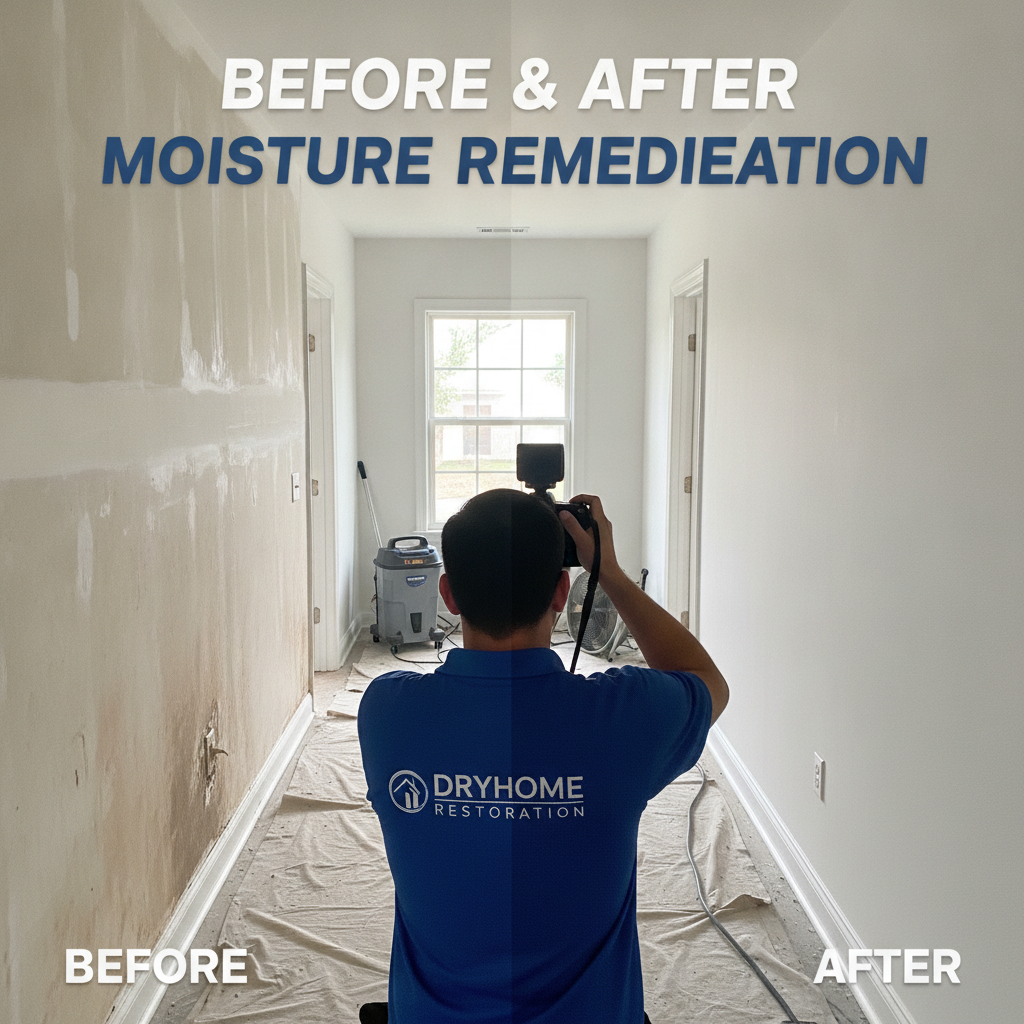
Display IICRC Certifications on a Dedicated Trust Page, Not Just the About Section
72% of consumers check business credentials before hiring a service company, 70% prefer certified businesses, and 85% would pay more for certified services — which means certification display is a direct revenue lever, not a legal obligation you tuck into a footer (BrightLocal, as of 2026). IICRC-certified restoration firms that display certification numbers, the IICRC logo, and a plain-English explanation of what each credential means for the homeowner consistently outperform firms that list credentials only in an 'About' paragraph. Construction websites that treat certifications as an afterthought are leaving conversion potential on the table and giving credibility away to competitors who do this right. Decades of research on consumer trust patterns confirm that displayed credentials drive action — the challenge is putting them where users can actually find them.
Create a standalone /certifications page that lists each active credential (WRT, ASD, AMRT, FSRT, CCT) with its certification number, expiration date, and a one-sentence explanation of what the homeowner gets as a result. Example: 'Our WRT (Water Restoration Technician) certification means your home is dried to IICRC S500 standard — the same protocol your insurance adjuster expects in the scope of loss.' Link to that page from the homepage trust bar, the footer, and every service subpage. Add the IICRC logo and BBB accreditation badge in a trust bar directly below the hero section on the homepage to build trust before potential clients read a word of body copy. Awards and accreditations displayed here also anchor the site's credibility for users who browse quickly before deciding to call.
Also add LocalBusiness and Service schema markup (JSON-LD format) that includes your certification names and numbers. Google's AI Overviews as of 2026 surface structured trust data for local service queries — a schema-marked certification page gives your credentials a path into AI-generated answers for 'licensed water damage company near me' searches. This is the same strategy that McCarthy Building Companies and other top-tier construction firms use to establish credibility signals beyond their portfolio pages. Validate your schema with Google's Rich Results Test before publishing — errors in the JSON-LD silently kill eligibility and can take weeks to surface in Search Console.
Google's Rich Results Test
Free
Validates your LocalBusiness and Service schema before deployment so structured data errors don't silently kill eligibility
Rank Math (WordPress SEO plugin)
Free / $59 per year Pro
Generates LocalBusiness schema with certification fields without requiring a developer to hand-code JSON-LD
Build Completed Projects Pages with Before/After Photography and City Modifiers
Most construction websites serving restoration companies have fewer than seven total pages and leave the majority of indexable keyword space unclaimed — a site with individual service subpages for water damage, fire damage, mold remediation, biohazard cleaning, and storm damage, each paired with city modifiers, captures search real estate that competitors are not contesting (Ironclad Restoration Marketing, April 2026). 81% of restoration searches include local intent terms like 'near me' or a city name, and 57% of restoration companies report Google Business Profile as their top lead source — a detailed, city-specific services page reinforces GBP signals and keeps potential clients on-site longer. Completed projects pages are the most underleveraged format in the restoration industry; firms that specialize in crisis response should be using them to showcase capabilities and real-world outcomes at the city level, not burying project photography in a generic gallery.
Each completed projects page should follow the Suffolk system logic that top construction websites use: let the work speak with real project photography, bold typography for the damage type and city, minimal text describing the scope, and a clear next step ('Call for a Free Assessment'). Strong visuals from real project photography outperform stock imagery because Google's image recognition and homeowners both identify staged photos within seconds — and staged imagery signals a lack of depth and craftsmanship in a way that real job-site photos never do. Shoot before/after pairs on every job — even phone camera photos taken in good light outperform generic restoration stock. Testimonials placed directly on these project case studies add a second layer of proof that builders, insurance professionals, and homeowners all look for when evaluating a firm's reliability and track record. This approach earns trust where it matters most: at the moment a visitor is deciding whether to click your call button or keep browsing.
Structure the URL pattern as /services/water-damage-restoration-dallas/ and /services/water-damage-restoration-fort-worth/ rather than using a single generic services page. Each city page needs a unique opening paragraph (minimum 300 words) referencing local geography, common causes of damage in that area (flash flooding in Dallas, hail in Fort Worth), and your response time from that location. Google's local algorithm as of 2026 penalizes thin city pages with duplicate content — write each one as a standalone project case study for that market, not a copy-paste with the city name swapped. Pages published at least 60 days before peak season have time to accumulate the click signals and index position that drive emergency search visibility when the calls actually start coming in.
SEO note
Emergency restoration searches spike 340% during spring storm season (The Restoration Marketers, April 2026). Publish your storm-damage city pages at least 60 days before peak season so they have time to index and accumulate click signals before the volume surge hits.
Add a Service Area Map and Explicit Geographic Coverage to Every Key Page
81% of restoration searches include a city name or 'near me' modifier, and a homeowner who cannot confirm within five seconds that you serve their zip code will exit and call a competitor who made that confirmation easy (WebTonic, July 2026). An interactive service area map embedded above the fold on the homepage, and repeated as a static image on every city-specific service subpage, eliminates that friction point for potential clients before they read a single word about your process. This is the one element on construction websites that works equally well for general contractors and restoration specialists — geographic clarity closes the hesitation gap faster than any other trust signal. Great design at this stage means putting the information where the visitor's eye lands first, not where it fits the layout.
The map does not need to be a custom-coded solution. Google Maps Embed (free up to 28,000 map loads/month) with a shaded radius layer showing your covered cities handles the visual need. Pair it with a text list of every city and suburb you serve, formatted as a bulleted list that Google can crawl — maps alone are not indexable text. The list serves double duty: it builds geographic keyword density that reinforces your Google Business Profile service-area settings, and it gives visitors in secondary markets the confidence to call even if they don't see their city featured in a headline. Navigating a restoration company's site should never leave a homeowner uncertain about whether their location is covered — that uncertainty is one of the most common reasons visitors bounce without calling.
Add areaServed fields to your LocalBusiness schema with each city name listed individually. This is how restoration construction websites signal coverage to AI search engines like Perplexity and Google AI Overviews, which pull structured geographic data to answer 'who does water damage restoration in [city]' queries. A schema-marked area list is the difference between appearing in an AI citation and being invisible to it. Infrastructure projects of any scale — from a single water-damaged house to a commercial fire loss spanning an entire region — need geographic precision in the schema to surface in the right local results. Firms that operate across a wide range of cities in a single state, including multiple markets across America, should ensure every location appears in the schema, not just the primary market.
Google Maps Embed API
Free (up to 28,000 map loads/month)
Renders an interactive, mobile-responsive service area map with zero custom development cost
Run a WCAG 2.1 AA Accessibility Audit and Fix Unlabeled Call Buttons
8,667 federal ADA Title III lawsuits were filed against business websites in 2025, and contractor sites with unlabeled call buttons, low-contrast emergency banners, and inaccessible contact forms are routine targets (Seyfarth tracker, as cited by WebTonic August 2026). For restoration companies, this is not a theoretical risk — emergency banners with white text on light-blue backgrounds, icon-only call buttons with no aria-label, and forms that cannot be completed by screen reader fail WCAG 2.1 AA on the first automated scan. Most construction websites in this industry have never had an accessibility audit run against them, and most of the ones that need work are just a few hours of developer time away from being clean and defensible. The safety of your business from litigation and the safety of users navigating under stress are the same goal.
Run your site through WAVE (free browser extension from WebAIM) and axe DevTools (free tier) before launch and after any theme update. The three fixes that close 80% of restoration site violations: add an aria-label='Call [Your Company Name] Now' attribute to every icon-only call button, increase all emergency banner text to a minimum 4.5:1 contrast ratio against its background, and add visible focus indicators to every form field so keyboard users can tab through without losing position. These fixes take a developer under two hours on a WordPress site. Clear navigation that works for screen readers also improves usability for every other visitor — the same attributes that serve low-vision users drive mobile conversion rates for everyone. Simple, accessible design is not a restraint on creativity; it is a benchmark for quality.
Frame accessibility as a business decision, not a compliance checkbox. A restoration site that works for users with low vision, motor impairments, or older phones also works better for every visitor — clear navigation, large tap targets, and sufficient contrast are the same attributes that lift mobile conversion rates. The McCarthy Building Companies and Suffolk Construction websites both pass WCAG AA, partly because their teams understand that accessibility failures signal poor quality control to general contractors, insurance adjusters, and sophisticated homeowners alike. Showcase your commitment to quality through a site that every potential client can actually use. The education value of a WCAG audit goes beyond legal protection — it helps your team understand what a refined, user-centered version of your site actually looks and feels like.
WAVE (WebAIM)
Free
Flags contrast failures, missing aria-labels, and form accessibility errors directly in the browser with visual overlays
axe DevTools (Deque)
Free tier / $40/month Pro
Runs automated WCAG 2.1 AA scans in Chrome DevTools and exports a prioritized fix list for your developer
Legal note
ADA Title III lawsuits do not require prior notice. A plaintiff's attorney can file the same day they identify a violation. Keep a dated accessibility audit report on file and re-run it after every major site update — that documentation is your first line of defense.

Don't Launch Until Your Live-Answer System Is Active
Every element in this guide — the 24/7 banner, the sticky call button, the 'On-Site in 60 Minutes' CTA copy — becomes a liability if calls route to voicemail after hours. 88% of restoration callers hang up on voicemail (Pitchit, 2026), and a Google review that says 'website says 24/7 but got voicemail at 10 PM' undoes months of trust-building work. Stand up Answerforce, Nexa, or Patlive before you update a single word of homepage copy. The dispatch system is not a Phase 2 item — it is the foundation the website promises are built on.
Most construction websites built for restoration companies are designed like general contractor portfolio sites: project galleries, an about page, a contact form, and a phone number in the footer. That design assumes a comparison-shopping buyer with days to decide. Restoration buyers have four minutes, a flooded floor, and a phone in their hand. The eight steps in this guide shift every design decision away from 'what looks professional' and toward 'what closes the call before the competitor's site loads.' Fix page speed first, lock in the sticky call button second, and build out the city-specific service pages and trust infrastructure from there. At a $775 average lead cost in competitive Texas markets, a site that converts at 12% instead of 4% does not just perform better — it changes the unit economics of the entire business. That is what great design does for a restoration contractor: it stops putting marketing spend into a site that loses the job before the homepage renders. Explore the steps that fit your current capabilities, pick the ones you can ship this week, and set a 30-day deadline to deliver the rest. Your relationships with insurance adjusters, the patterns of storm damage in your region, and your team's craftsmanship are the story worth telling — this guide is the approach that makes sure the right people can actually find it and reach you when it matters most.
Frequently Asked Questions
Ready to get started? Contact Geek Powered Studios today.