
Home restoration email marketing works when you run three separate programs rather than one broadcast list. Segment your contacts into insurance adjusters, referral partners (plumbers, real estate agents, property managers), and past homeowner clients. Each group gets its own cadence, message length, and success metric. The adjuster nurture sequence compresses insurance payment timelines and produces a 5–12% reply rate on cold outreach. The referral-partner warmup generates attributable job referrals tracked through CallRail. The past-client reactivation drip drives Google reviews and repeat bookings. Platform cost: $20–$49/month. Benchmark return: $36–$44 per dollar spent — the highest ROI of any marketing channel in the home services industry.
-
$36–$44Email ROI per dollar spent in home services — highest of any channel
-
3 hoursTime to build all three sequences; they run on autopilot after that
-
5–12%Adjuster cold-email reply rate when list is segmented and messages stay under 100 words
-
$20–$49/moFull platform cost for all three programs combined (ActiveCampaign, HubSpot, or Jobber)
-
60%Potential customers lost by restoration companies that never follow up after the first call
-
15–25%Goal completion rate benchmark for a well-tuned nurture drip sequence
Home restoration email marketing generates $36–$44 for every dollar spent in the home services industry — the highest ROI of any marketing channel — yet 60% of potential customers are lost by restoration companies that never follow up after the initial emergency call. The problem is almost never the platform or the message. It is the list. Most restoration businesses run one unsegmented contact list, send one broadcast per month, and then watch adjusters ignore their emails. The fix is three hard-separated email programs: an adjuster nurture sequence, a referral-partner warmup, and a past-client reactivation drip. This guide builds all three in seven steps for $20–$49/month in platform cost, with sequences that run on autopilot after a 3–5 hour setup. Read through to discover exactly how each program works, which tools to use, and how to gauge whether your efforts are producing real results.
Before you start
- A CRM or email platform account: Jobber Campaigns ($29/mo add-on), ActiveCampaign (from $15/mo), or HubSpot Marketing Hub Starter ($20/seat/mo) — pick one and stick with it for all three programs
- A clean contact list separated by type: homeowners, insurance adjusters, and referral partners (plumbers, real estate agents, property managers) — even a rough spreadsheet works as a starting point
- At least one documented case study or job summary you can share with adjusters as proof of your documentation quality and response time
- Admin access to your company phone system or CallRail ($45/mo) to track inbound phone calls generated by email clicks and attribute referral revenue to specific partners
- Basic familiarity with tagging or list segmentation inside your chosen platform — no coding required, but you need to know where the tag or custom field lives before you build any automation
- Permission-based contacts only: every adjuster and partner on your list must have opted in or given verbal consent during a prior conversation — unsolicited sends damage deliverability and the business relationship simultaneously
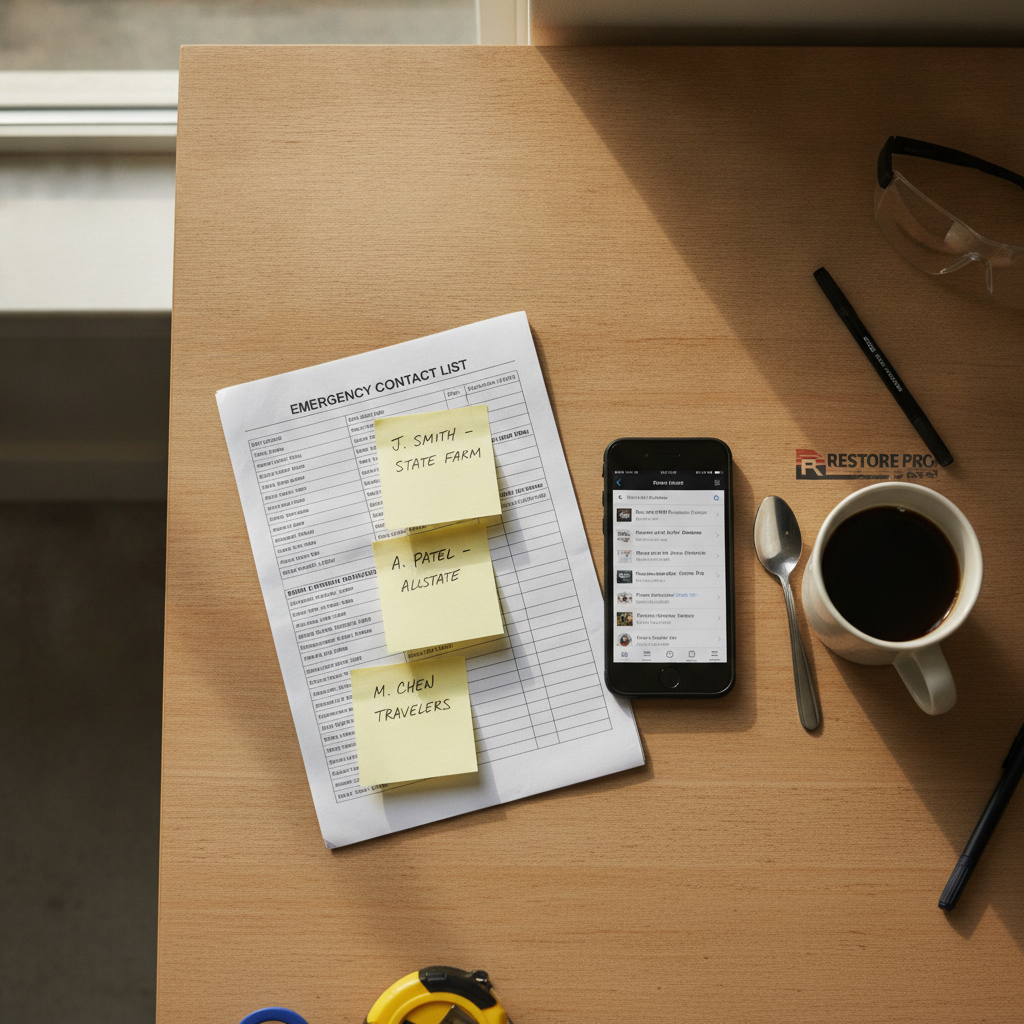
Segment Your Email List Into Three Separate Programs Before Sending Anything
Home restoration email marketing fails when one unsegmented list receives the same blast — adjusters ignore homeowner promotions, past clients don't need documentation tips, and referral partners don't want emergency-booking pitches. The structural fix is three hard-separated lists: (1) insurance adjusters and claims professionals, (2) referral partners such as plumbers, real estate agents, and property managers, and (3) past homeowner clients. Each list gets its own cadence, message length, and success metric. Mixing them is the single fastest way to damage your sender reputation and eliminate your online visibility with the contacts who matter most — this is the key decision that determines whether your entire strategy succeeds or fails from day one.
Start the segmentation process inside your CRM by applying one tag to every contact: 'adjuster,' 'partner,' or 'homeowner.' In HubSpot, use contact properties; in Jobber, use client tags; in ActiveCampaign, use custom fields. This single tagging step is what all three automated workflows trigger from. Without it, your digital marketing efforts collapse back into the same one-size-fits-all problem you started with. Block two hours to tag every existing contact before building any sequence — this foundation is essential, and skipping it is the most common reason restoration email programs fail before they generate a single lead.
Over 65% of new US restoration jobs come through referrals, yet most restoration businesses leave referral generation entirely to chance. Proper list segmentation converts that 65% from a passive statistic into an active, managed pipeline. Search engine optimization and pay-per-click advertising generate new customers at the top of the funnel, but email marketing is what builds the referral relationships and repeat-booking habits that produce consistent revenue in the home restoration industry. The segmentation step is not glamorous — it is the structural work that makes every future email campaign measurable and ensures your efforts connect with the right audience at the right time.
HubSpot Marketing Hub Starter
$20/seat/month
Best pipeline visibility and referral relationship management for restoration companies running a B2B adjuster program alongside homeowner marketing
ActiveCampaign
From $15/month
900+ automation recipes and behavior-based triggers make it the strongest pure-email automation platform for restoration companies with a dedicated marketing focus
Jobber Campaigns
$29/month add-on
Pairs field-service job management with email and SMS — the preferred setup for single-crew or small-fleet restoration operators who want one system for scheduling and marketing
Critical
Never add insurance professionals to your list without their explicit permission. Adjusters receive high email volumes daily, and unsolicited sends damage your deliverability score and the business relationship simultaneously. Collect consent during on-site meetings, trade events, or phone introductions before any contact goes into your adjuster sequence.
Build the Adjuster Nurture Sequence: Welcome, Case Study, Availability, Then Monthly Touchpoints
The adjuster email marketing sequence has four mandatory stages: a welcome or introduction email on Day 1, a Week-1 case study email showing your documentation quality on a recent water or fire loss, a Week-3 response-time and availability update, and then a monthly touchpoint featuring a certification update or relevant industry news. Adjusters refer restoration companies because a smooth restoration experience protects their policyholder relationship and supports policy renewal — according to J.D. Power 2024 data, claims-handling satisfaction is the single strongest predictor of policy renewal. Your email sequence needs to prove you protect both, and that message must be compelling enough to stand out in a crowded inbox.
Keep every adjuster email between 50 and 100 words. These are not readers of long newsletters. Subject lines should name the claim type or geography: 'Category 3 Water Loss — 48-Hour Dry Documentation, Travis County' outperforms 'Our Restoration Services' by a significant margin. A personalized subject line alone can increase open rates by up to 26%, and tools like HubSpot and ActiveCampaign now apply AI to personalize subject lines and send times automatically. Compelling content for this audience is short, specific, and documentation-forward — not promotional. Personalizing each message to the adjuster's specific needs and location builds trust faster than any generic brand awareness campaign.
The financial case for this sequence is direct: only 3% of restoration contractors receive insurance payment within two weeks as of 2026 (Cleanfax survey). Consistent email touchpoints with adjusters that demonstrate organized documentation and fast response create the carrier relationships that compress that payment timeline. This is not a soft marketing strategy — it is a cash-flow tool. Email marketing for restoration services converts at 15–23% higher rates than social media for the same adjuster audience, making it the most cost-effective channel for building these B2B relationships and securing repeat project referrals.
Tip
Attach a one-page PDF summary of your IICRC certifications and a before/after photo set to the Week-1 case study email. Attachments from restoration companies are expected by adjusters reviewing vendor credentials — a PDF does not trigger spam filters the way image-heavy HTML emails do, and it gives the adjuster a physical document they can file with your contact information.
Launch the 3-Touch Cold Outreach Sequence for New Adjuster and Property Manager Leads
Cold email targeting property managers and insurance adjusters achieves a 5–12% reply rate when the list is properly segmented and messages stay at 50–100 words. The minimum effective cadence for new contacts is a 3-touch sequence: Day 1 introduction, Day 3 value-add follow-up with a specific claim-type example, Day 7 soft close with a phone call offer. Restoration contractors who stop at one or two emails leave significant revenue on the table — 4–7 total email touches convert 27% better than 1–2 attempts, and 48% of sales reps send zero follow-up at all after their first contact. The second email alone recovers a share of prospects who simply missed the first.
The first email should answer one question the adjuster has before they meet you: 'How fast can you respond and how do you document?' State your response time in minutes (not 'ASAP'), name your moisture mapping software, and offer a one-page capabilities sheet. The Day 3 follow-up references a specific loss type common in your local market — hail-driven roof leaks in North Texas, slab leaks in Houston clay soil — to signal local expertise and effectively connect with the right audience. The Day 7 email is three sentences: acknowledge you have reached out twice, offer a 15-minute phone call, and include your direct cell number. Writing these messages with urgency and a clear call to action at each stage is what separates engaged recipients from those who never respond.
Commercial property managers and facility directors require a longer runway: plan for a 3–6 month drip campaign before conversion on commercial accounts. Set the expectation inside your CRM by creating a 'commercial nurture' pipeline stage that triggers a monthly email after the initial 3-touch cold sequence completes. Lead nurture at this level produces 47% larger purchases than non-nurtured contacts — the wait is worth building into your marketing strategy, and the qualified leads it produces are the highest-margin accounts in the home restoration business. Track every stage of this pipeline so you can adjust frequency and content based on real engagement data.
ActiveCampaign
From $15/month
Automates the 3-touch cold sequence with behavior triggers — if a contact opens but does not reply, ActiveCampaign fires a modified Day 7 email automatically without any manual effort
Set Up the Referral Partner Email Program for Lead Generation from Plumbers, Agents, and Property Managers
The referral partner email program targets plumbers, real estate agents, and property managers who encounter water, fire, or mold damage before your phone rings. This list is distinct from the adjuster list because the conversion goal is a job referral, not a claim approval. The message cadence is lighter: one introduction email, a bi-monthly value email with a tip or case study the partner can share with their own clients, and a quarterly 'thank you' that includes a co-branded resource they can hand out. Each email in this program should be built around relevant content that helps the partner look good to their own client base — that is the key to building relationships that generate more leads over time.
Real estate agents and insurance agents refer restoration companies because a smooth claim and clean documentation protects their client relationship and drives policy renewal — not because of referral fees, which are prohibited. Frame every partner email around that reality. A subject line like 'What Your Clients Ask After a Pipe Burst (and How We Answer It)' positions your restoration business as a resource for the agent's customer, not a vendor pitching for business. Building relationships this way creates more leads than any promotional blast because it addresses the partner's actual professional motivation. Stories of successful project outcomes, shared as brief case summaries, resonate far better with this audience than discounts or generic promotions.
Track every referral source by assigning each partner a unique phone number in CallRail. When a referred homeowner makes phone calls to your office, CallRail logs which partner generated the lead. Feed that data back into your CRM so your monthly partner email can include a line like 'You sent us 3 jobs in Q2 — here is what happened on each one.' Closing the loop on referral attribution is what separates restoration companies that get consistent referrals from those that get occasional ones. Over 65% of restoration revenue flows through referrals; managing that pipeline with targeted campaigns and call tracking makes the number predictable and creates new opportunities for growth across your entire service area.
CallRail
From $45/month
Assigns unique tracking numbers to referral partners so you can attribute inbound phone calls to the specific email program that generated them — closes the attribution loop between digital marketing efforts and booked jobs
Build the Past-Client Reactivation Drip to Drive Repeat Bookings and Online Reviews
Past homeowner clients represent the highest-margin segment in your restoration business: repeat buyers in home services spend 67% more than first-time clients, and 65% of home services revenue comes from repeat customers. The reactivation drip runs three emails: a 90-day post-job check-in requesting a Google review, a 6-month seasonal alert (storm season, freeze season) reminding them of your services, and a 12-month anniversary email with a maintenance tip and a clear call to action to book an annual inspection. Automated emails like these generate up to 80% higher open rates and three times more clicks than one-time broadcast email campaigns — the engagement lift is one of the most powerful advantages of a behavior-based drip over a calendar blast.
The 90-day review request email is the most important send in the homeowner sequence. Write it in first person from the project manager or owner. Keep the subject line specific: 'How did your drywall repair hold up, Maria?' A personalized subject line increases open rates by up to 26%. The body should be four sentences: a check-in question, a single sentence about the job, a direct link to your Google Business Profile review page, and a cell number for questions. No banners. No logo header. Plain text email messages convert better for this audience and avoid triggering spam filters. Subscribers who receive this kind of personal, direct message are far more likely to leave a Yelp or Google review than those who receive a generic newsletter — and those testimonials attract new customers and strengthen your brand reputation online, making your site more highly visible in local search.
Set this sequence inside ActiveCampaign or Jobber Campaigns to fire based on job-close date, not a calendar blast. That behavior-based trigger is what makes the email feel personal rather than promotional — past customers who feel remembered refer friends and family at a far higher rate than those who receive a generic monthly newsletter. Customer feedback from the 90-day check-in email also provides early warning on any post-job concerns before they become a negative online review, giving your restoration business the chance to resolve issues privately and protect its reputation. This kind of consistent communication is what separates restoration companies that thrive from those that stay stuck relying on word-of-mouth alone.
Warning
Apple Mail Privacy Protection inflates reported open rates by preloading email content automatically. Do not judge the health of your reactivation sequence by open rates alone. Track click-through rate, clicks to your Google review link, and inbound phone calls via CallRail as your real performance metrics. Click-to-open rate is a more reliable engagement signal after Apple's change distorted raw open-rate data across the home services industry.
Write Email Marketing Campaigns That Clear the Spam Folder and Hit Mobile Devices Correctly
Restoration email marketing campaigns fail at the inbox before they fail at the message when the platform, sending domain, and template are misconfigured. Set up a custom sending domain in your email platform — not a shared IP — and authenticate it with SPF, DKIM, and DMARC records. HubSpot and ActiveCampaign both walk you through this process in under 20 minutes. A shared IP means your deliverability depends on every other sender on that server, including marketers with poor list hygiene. Domain authentication is the single most cost-effective technical step in any home restoration email marketing program, and it is critical to ensuring your messages actually reach recipients rather than getting marked as spam. Constant Contact and similar shared-IP platforms can hurt your sender score simply because of how other users on the same platform behave — something worth understanding before you choose your software.
Every email in all three programs must render correctly on mobile devices. As of 2026, over 60% of emails are opened on smartphones first. Use a single-column layout, a minimum 16px font size for body text, and a call-to-action button no smaller than 44px tall. Responsive design is not optional — a template that breaks on iPhone eliminates your chance before the first word is read. Visually appealing email messages that are mobile-friendly increase click-through rates and signal to your email platform's deliverability algorithm that subscribers prefer your content, which keeps future emails out of the spam folder. Test every template on at least two different devices before you launch any sequence, and experiment with both plain-text and lightly designed versions to determine which performs better with each audience segment.
Subject line rules that apply across all three lists: keep them under 50 characters, use the recipient's first name when the list segment supports it via merge tags, and avoid spam-trigger words like 'Free,' 'Guarantee,' and 'Act Now.' The home and maintenance industry averages a 34.76% open rate in 2026 per Sendtric's cross-platform analysis. Restoration companies running Constant Contact or similar shared-IP platforms often see below-average deliverability because their sender reputation is tied to other users' behavior. Migrating to a dedicated sending domain inside HubSpot or ActiveCampaign typically recovers 5–8 percentage points of open rate within 60 days. Crafting subject lines that reflect the recipient's specific situation — a recent claim type, a property location, a repair category like roof damage or remodeling work — is the single most effective way to boost open rates across all three programs.
Measure Click-Through Rates, Sequence Completions, and Referral Revenue to Optimize All Three Programs
A well-tuned restoration email nurture sequence should reach a 15–25% goal completion rate — meaning 15–25 out of every 100 contacts who enter the sequence take the target action (reply, book a call, submit a referral). Below 10% signals a structural problem with targeting, timing, or content. Track three metrics weekly across all programs: click-through rate (target: above the 1.57% industry average, ideally 3–5% for segmented restoration sequences), adjuster reply rate (target: 5–12% on cold outreach), and referral-attributed revenue in CallRail (target: at least one incremental job per active partner per quarter). These three data points give you a complete view of whether your marketing efforts are producing qualified leads or just impressions. Monitor them consistently — monthly at minimum — so you can refine sequences before small problems become expensive ones. Analytics platforms like HubSpot make this easy to assess without hiring a dedicated analyst.
Do not track raw open rates as your primary KPI. Click-to-open rate, which measures clicks among openers only, is a more reliable engagement signal after Apple Mail Privacy Protection inflated raw open-rate data across the home restoration industry. HubSpot's built-in email analytics dashboard tracks click-through rates, sequence completion rates, and deal pipeline value tied to each email program. ActiveCampaign surfaces the same data inside its automation reporting. Both platforms let you A/B test subject lines and send times so you can optimize each sequence based on what your specific subscriber preferences and list segment respond to — not industry averages. Use the insights you discover from these tests to continuously improve performance and ensure your campaigns resonate with each audience over time. Streamline your review process by scheduling a fixed monthly block — even 30 minutes — to go through the numbers and implement one change per sequence.
The ROI math on home restoration email marketing is straightforward: email returns $36–$44 for every dollar spent in the home services industry, the highest of any marketing channel. A single water damage job at 50–80% gross margin is worth $3,000–$6,000 in profit. Your entire email platform costs $20–$49/month. If your adjuster sequence generates one additional referral per month, it pays for itself in the first 48 hours of that job. Compare that to pay-per-click advertising — PPC — where a Google Ads lead in the restoration category costs $104–$149 per click in competitive Texas markets. Investing in email marketing delivers far better returns per dollar than most other advertising options available to home restoration contractors. Review sequence performance monthly for the first three months, then quarterly once all three programs stabilize. Content marketing and SEO build online visibility over time, but email is what converts the relationships those channels create into real revenue — and the growth potential across all three programs compounds the longer you keep the sequences running.
CallRail
From $45/month
Closes the attribution loop between email clicks and inbound phone calls, connecting digital marketing efforts to actual booked jobs so you can prove referral revenue by source
HubSpot Marketing Hub Starter
$20/seat/month
Built-in email analytics dashboard tracks click-through rates, sequence completion rates, and deal pipeline value tied to each email program — all in one place without a separate analytics tool

The One Mistake That Kills Restoration Email Programs Before They Start
Restoration companies lose 60% of potential customers from lack of follow-up after the initial emergency call — and 48% of sales reps send zero follow-up at all after first contact. The three-list system described here only works if the sequences are actually turned on and left running. The most common failure mode is building the adjuster sequence, sending the first email manually, and abandoning the program when a busy week hits. The entire value of email marketing for a home restoration business is in the automation: set the triggers once, tag contacts correctly at intake, and let the platform send the Day 3 and Day 7 emails while your crew is on-site. If you find yourself sending emails one at a time, the system is not built yet — go back to Step 1 and complete the automated workflow setup before sending anything.
Most restoration companies run one email list, send one broadcast per month, and wonder why adjusters don't call back. The three-list system — adjuster nurture, referral-partner warmup, past-client reactivation — replaces that single blast with three targeted campaigns that each have their own cadence, message length, and measurable outcome. The platform cost is $20–$49/month. The benchmark return is $36–$44 per dollar spent. The adjuster sequence alone, if it generates one additional referral job per month at a 50–80% gross margin, covers your entire digital marketing budget in the first hour of that job. Build the lists, tag the contacts, authenticate your sending domain, turn on the automation, and measure click-through rates and referral revenue — not open rates. That is what home restoration email marketing looks like when it is working. Finally, if implementing all of this feels overwhelming given your team's current workload, a free consultation with Geek Powered Studios can help you determine the right fit and get started quickly. We specialize in building these programs for Texas contractors and can help you utilize every one of these tools to their full potential — reach out anytime to learn more.
Frequently Asked Questions
Ready to get started? Contact Geek Powered Studios today.